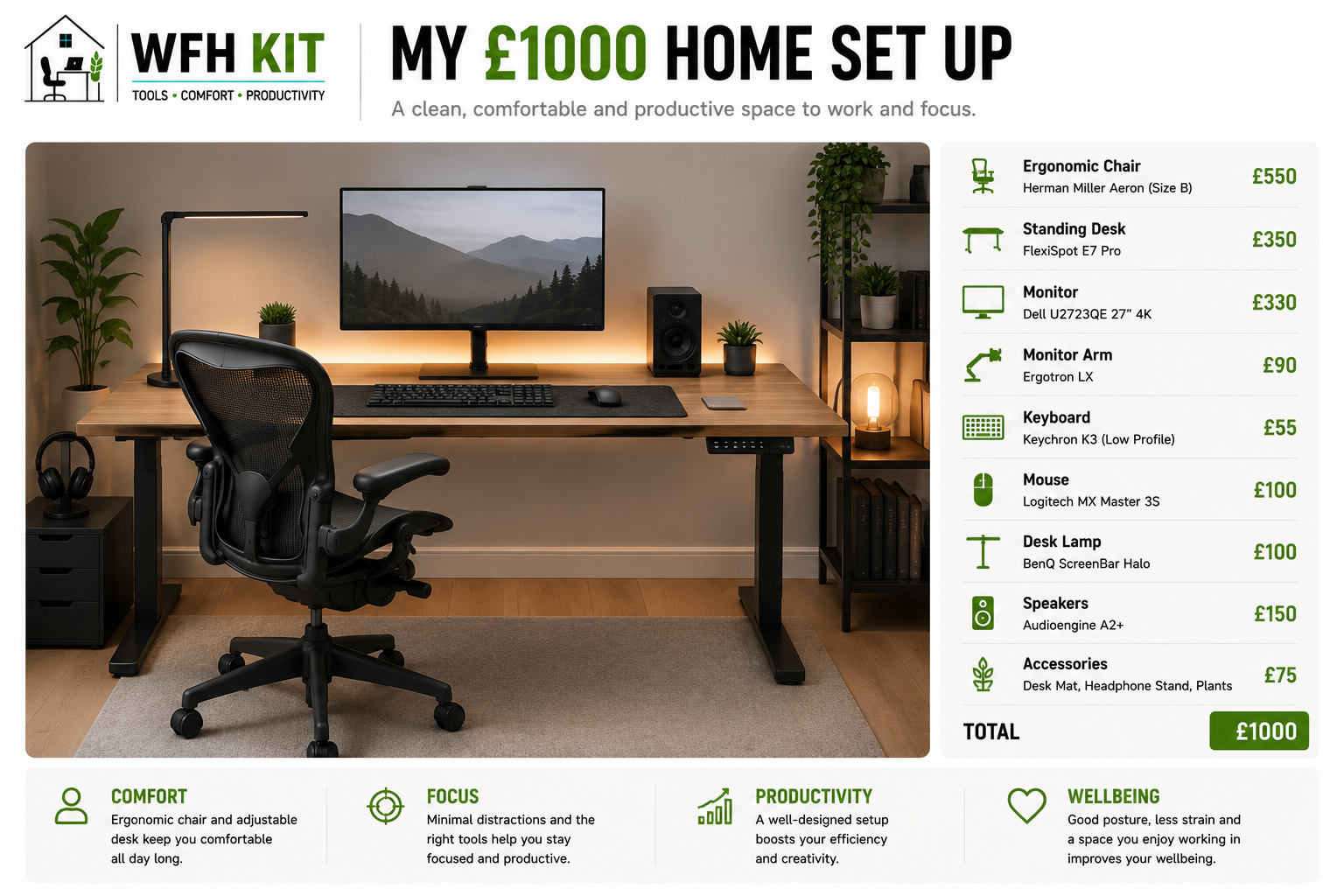
A felt desk mat is one of those accessories that sounds like a £30 upgrade but quietly changes how the desk feels every single day. We have used one for the past year — a 90cm by 40cm grey wool-felt mat under the keyboard, mouse, and monitor stand — and the verdict is straightforward: it is worth the money, but you have to buy the right kind.
Here is what to look for, what to avoid, and which felt desk mats are worth your time in the UK.
What a felt desk mat actually does
Three things, roughly equally important.
First, it dampens noise and feel. Typing on a hard desk is louder and harsher than typing on felt. Mouse clicks, the snap of a pen, the rattle of a coffee mug — all softer. After a week you stop noticing; if you put your keyboard back on a bare desk you immediately feel the harshness.
Second, it protects the desk. If you have an oak top or any wood you care about, a felt mat catches the gouges and dents that come from accidentally dropping a pen, sliding a phone across the surface, or putting a hot mug down. Spill resistance varies — see below — but at minimum the mat takes the abuse instead of the desk.
Third, it gives the desk a finished look. A grey or beige felt mat under your keyboard and monitor stand frames the working area and makes the desk look like a designed space rather than a flat slab. This sounds frivolous; on video calls it actually matters.
What to look for in a felt desk mat
Material: 100% wool felt vs polyester blend
Pure wool felt is firmer, denser, and ages better. Polyester or PET-blend felt is cheaper and softer in the short term but pills (forms little fuzz balls) at the keyboard and mouse contact points within months. If you can stretch to wool, do.
Some ‘felt’ mats sold cheaply on Amazon are actually compressed needle-felt with a paper or cardboard backing. Avoid. They look fine in photos but flatten quickly under a keyboard.
Thickness: 3mm minimum
Anything under 3mm acts more like a tablecloth than a mat. Aim for 3-5mm. Too thick (over 6mm) and the keyboard sits at an awkward angle relative to the desk.
Size: match it to your gear
Two common sizes work for most home offices. The medium (around 90cm × 40cm) covers a keyboard, mouse, and a small notebook — sized for a laptop or single-monitor setup. The large (around 130cm × 60cm) covers the entire usable area in front of a single monitor or a dual-monitor setup. Pick whichever lets the mat sit clear of the front edge of the desk by 2-3cm.
Backing: anti-slip rubber or none
A thin rubber backing keeps the mat from sliding when you push back from the desk. Look for ones that explicitly mention non-slip backing — many premium mats skip this and you can feel the mat creep over time.
Cleanability
Felt is forgiving with dust (a lint roller does the job) but unforgiving with liquid. Most wool-felt mats are not waterproof. If you drink coffee at the desk, factor in the eventual stain — or buy a mat that explicitly says spill-resistant.
Our pick: Oakywood Felt Desk Pad
[Affiliate link] If we had to recommend one mat without context, this is it. Around £55 for the medium, £75 for the large. 100% wool, 3mm thick, anti-slip backing, available in grey, anthracite, beige, and a few other tasteful colours. The edges are precision-cut so they do not fray, and the wool has held up to a year of daily use with no pilling or visible wear at the keyboard area.
It is more than the basic Amazon mats, and worth it. We have one in our main test setup and one as a writing-desk overlay; both still look like they did when they arrived.
Best budget option: VAYDEER Felt Desk Mat
[Affiliate link] Around £20 for the medium size. Polyester-blend felt rather than wool, but the build quality at this price is genuinely good. It will not age as gracefully as the Oakywood — expect some pilling at the mouse area within six months — but for a guest desk, a kid’s desk, or a starter setup, it does the job.
Best premium option: Grovemade Wool Felt Desk Pad
[Affiliate link] Around £100. The premium choice if budget is not the constraint. Heavier wool, leather edge binding on some variants, and the most beautiful finish of any mat we have tested. Made in the US, so longer shipping to the UK and a chunky import. Worth it if your desk is a premium setup and the mat will be the visible foreground.
What to avoid
Cheap multipack felt mats labelled ‘mouse pad and keyboard mat set’. The felt is usually thin, the backing peels, and the colour fades within months.
Glittery or printed felt mats. The print rubs off, especially under the mouse.
Anything described as ‘cork and felt’ — these tend to be one thin layer of each laminated, and the laminate separates over time.
Frequently asked questions
Do felt mats work for gaming mice with optical sensors?
Mostly yes. Quality wool felt has a dense, even surface that optical and laser sensors track on without issue. Polyester-blend felt is hit-and-miss for gaming-grade tracking — some mice glitch on the fuzzier surface. If you are a gamer, prioritise wool.
How do I clean a felt desk mat?
Lint roller for surface dust and crumbs. Vacuum on a low setting once a month if you want it spotless. Spot clean with cold water and a tiny amount of mild detergent — do not soak. Avoid hot water (felt can shrink).
Will a felt mat damage my desk?
No. The rubber-backed mats grip without leaving any residue. Wool felt itself is inert and will not stain or scratch wood, glass, or laminate.
How long do they last?
Quality wool felt lasts years — we have a Oakywood pad still going strong after 18 months of daily use with only minor flattening at the keyboard area. Cheap polyester blends last 6-12 months before the surface starts pilling and looking tired.
The verdict: is a felt desk mat worth it?
Yes, with one condition: buy a quality wool one. The £20 polyester mat will save you money in the short term and disappoint you within a year. The £55-70 Oakywood, or the equivalent from another reputable maker, is the right buy. It changes how the desk feels every day, protects an expensive surface, and looks excellent on video calls.
Pair it with a good keyboard and mouse, and the upgrade chain is complete: better-feeling typing, quieter clicks, a desk you actually want to sit at.