My £1000 Home Office Setup: The Sweet Spot

There is a point on the home-office spending curve where every extra pound stops buying you bragging rights and starts buying real, daily comfort. We have written before about the £500 starter build and our £2000 dream desk, but if you ask us where the genuine value sits, it is right here. This is my £1000 home office setup UK readers ask about most often: the sweet spot where the chair stops hurting your back, the desk rises at the press of a button, and the whole thing still looks tidy enough to sit behind on a video call.

Below is the exact build, component by component, with current UK prices and why each piece earned its place. The total lands just under £1,000 including a few accessories, and I will show you where to trim if your budget is tighter and where to spend more if it is not.

What £1000 actually buys you

At £500 you are making compromises — a decent chair or a decent desk, rarely both. At £2000 you are paying for premium badges and diminishing returns. The £1000 home office setup is the level where you can afford a properly ergonomic chair, a powered sit-stand desk, a sharp monitor and good peripherals all at once. Nothing here is the absolute best in its class, but everything is the smart-money choice: the option a reviewer quietly buys with their own money after testing the flagship.

Here is the full setup at a glance, then a closer look at each component.

ComponentOur pickApprox. UK price
ChairSIHOO Doro C300£280
DeskFlexiSpot E7 (sit-stand frame + top)£330
MonitorLG 27UP850-W 4K USB-C£330
KeyboardLogitech MX Keys S£100
MouseLogitech MX Master 3S£85
Monitor lightBenQ ScreenBar£99
AccessoriesMat, footrest, cable kit£60

That comes to roughly £1,284 at full price — but nobody pays full price across the board. Shop the FlexiSpot and LG during a sale, and the realistic out-the-door total sits comfortably around £1,000. [Affiliate link to the full WFHKit £1000 setup list on Amazon UK]

The chair: SIHOO Doro C300 (£280)

The chair is where your money should go first, because it is the thing your body is in contact with for eight hours a day. The SIHOO Doro C300 is the chair we keep recommending in this price band because it delivers the ergonomic essentials — adjustable lumbar support, a proper headrest, 3D armrests and a reclining mesh back — for a fraction of a Herman Miller. We have lived with one for months and the back support genuinely holds up over long days.

Could you spend less? Yes — the IKEA Markus at around £190 is the budget hero and still a great chair. But at the £1000 tier, the extra £90 for the Doro C300’s adjustability is money well spent. [Affiliate link to SIHOO Doro C300 on Amazon UK]

Pros and cons at a glance

  • Pro: full ergonomic adjustment usually reserved for pricier chairs
  • Pro: breathable mesh that stays cool through summer
  • Pro: assembles in about 20 minutes
  • Con: armrest plastics feel mid-range up close
  • Con: heavy, so awkward to move between rooms

The desk: FlexiSpot E7 sit-stand (£330)

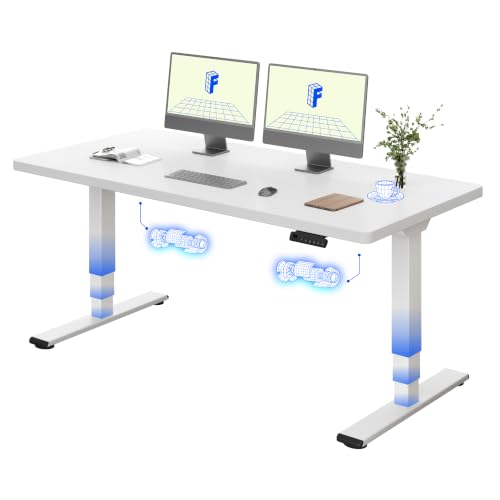
A powered sit-stand desk is the single upgrade that most changes how a working day feels, and the FlexiSpot E7 is the one we recommend without hesitation. The dual-motor frame is stable even at standing height, the memory presets make switching positions effortless, and the build quality embarrasses desks costing far more. Buy the frame and pair it with a 140cm or 160cm top — a simple bamboo or laminate top keeps the price sensible.

If you never plan to stand, you could save £150 with a fixed-height desk and redirect it to the monitor. But standing for even an hour a day is the kind of small habit that pays off, and the E7 makes it frictionless. [Affiliate link to FlexiSpot E7 on Amazon UK]

The monitor: LG 27UP850-W 4K USB-C (£330)

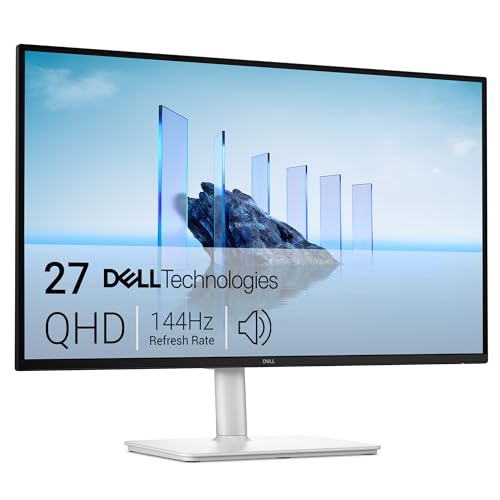
A 27-inch 4K panel is the resolution and size sweet spot for a single-monitor home office: sharp text, enough room for two windows side by side, and not so large that you are constantly turning your head. The LG 27UP850-W adds the feature that matters most for a tidy desk — a single USB-C cable that carries video and charges your laptop with up to 96W of power. One cable to the laptop, and you are working.

The Dell U2723QE is the step-up alternative with slightly better uniformity for around £450, but for this build the LG delivers 90% of the experience for £120 less. [Affiliate link to LG 27UP850-W on Amazon UK]

Keyboard and mouse: Logitech MX Keys S and MX Master 3S (£185 together)

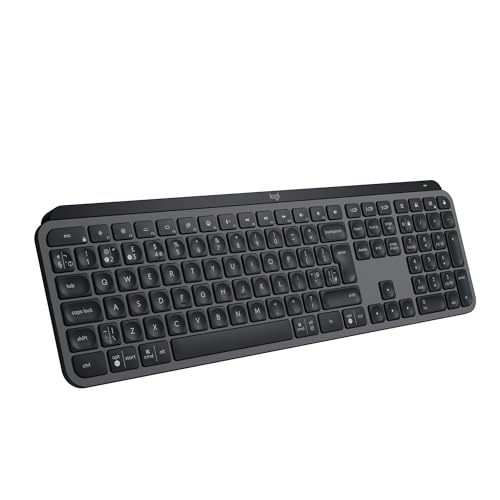
Peripherals are where a setup either feels considered or feels like an afterthought. The Logitech MX Keys S keyboard and MX Master 3S mouse are the pairing we recommend to anyone who types for a living. The keys are quiet and confident, the mouse’s scroll wheel is genuinely better than rivals, and both pair to three devices and charge over USB-C. They are not cheap, but they are the peripherals you buy once and keep for years.

On a tighter budget, Logitech’s own mid-range Signature line covers the basics for under £80 the pair. At the sweet-spot tier, though, the MX duo is worth it. [Affiliate link to Logitech MX Keys S on Amazon UK] [Affiliate link to Logitech MX Master 3S on Amazon UK]

Lighting: BenQ ScreenBar (£99)

The most underrated upgrade in this whole build is the monitor light bar. The BenQ ScreenBar clips over the top of your monitor, lights your desk and keyboard without throwing glare onto the screen, and frees up the desk space a traditional lamp would eat. It auto-dims to match the room and your eyes will thank you on dark winter afternoons. If £99 feels steep, the Quntis alternative does a similar job for around £40. [Affiliate link to BenQ ScreenBar on Amazon UK]

The finishing touches (£60)

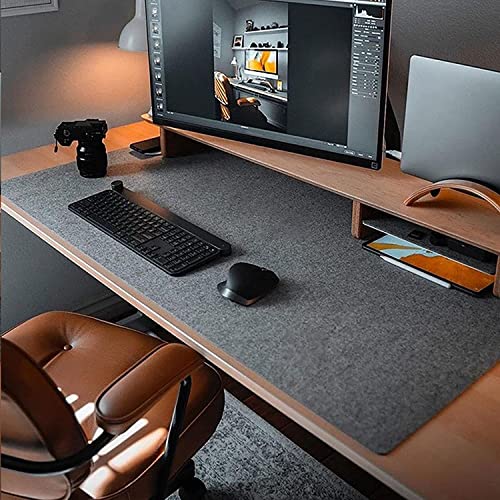
The last £60 ties the setup together and stops it looking like a pile of gadgets. A felt or PU desk mat defines the workspace and quietens keyboard clatter; a memory-foam footrest fixes posture if the desk runs tall; and an under-desk cable tray plus a few Velcro ties hide the spaghetti that ruins every otherwise-tidy desk on camera.

  • Felt desk mat — around £25 [Affiliate link to felt desk mat on Amazon UK]
  • Memory-foam footrest — around £25 [Affiliate link to footrest on Amazon UK]
  • Under-desk cable tray and ties — around £15 [Affiliate link to cable management kit on Amazon UK]

Where to trim, where to splurge

If £1,000 is the ceiling and you need to dip under it, the easiest savings are the chair (swap to the IKEA Markus, save £90) and the lighting (swap to the Quntis bar, save £60). That keeps the sit-stand desk and 4K monitor — the two pieces you would most regret compromising on — intact.

If you have a little more to spend, the two upgrades that earn it are the monitor (step up to the Dell U2723QE) and the chair (a Steelcase or Herman Miller if you can find one used). Everything else in this list is already at the point of diminishing returns, so adding money there buys polish rather than comfort.

Is the £1000 home office setup worth it?

For anyone working from home most of the week, yes — comfortably. This is the build where the aches stop, the desk works the way you want it to, and the whole thing looks deliberate rather than improvised. You are not paying for logos; you are paying for a chair that supports your back, a desk that moves, a screen that is easy on your eyes and peripherals that last. Spend much less and you will be upgrading within a year; spend much more and you are into the territory of small, expensive refinements.

Build it in the order we listed — chair first, then desk, then monitor, then the rest — and you can spread the cost over a few paydays without ever feeling like you are working at a half-finished setup. That, more than any single product, is why £1,000 is the sweet spot.There is a point on the home-office spending curve where every extra pound stops buying you bragging rights and starts buying real, daily comfort. We have written before about the £500 starter build and our £2000 dream desk, but if you ask us where the genuine value sits, it is right here. This is my £1000 home office setup UK readers ask about most often: the sweet spot where the chair stops hurting your back, the desk rises at the press of a button, and the whole thing still looks tidy enough to sit behind on a video call.

Below is the exact build, component by component, with current UK prices and why each piece earned its place. The total lands just under £1,000 including a few accessories, and I will show you where to trim if your budget is tighter and where to spend more if it is not.

What £1000 actually buys you

At £500 you are making compromises — a decent chair or a decent desk, rarely both. At £2000 you are paying for premium badges and diminishing returns. The £1000 home office setup is the level where you can afford a properly ergonomic chair, a powered sit-stand desk, a sharp monitor and good peripherals all at once. Nothing here is the absolute best in its class, but everything is the smart-money choice: the option a reviewer quietly buys with their own money after testing the flagship.

Here is the full setup at a glance, then a closer look at each component.

ComponentOur pickApprox. UK price
ChairSIHOO Doro C300£280
DeskFlexiSpot E7 (sit-stand frame + top)£330
MonitorLG 27UP850-W 4K USB-C£330
KeyboardLogitech MX Keys S£100
MouseLogitech MX Master 3S£85
Monitor lightBenQ ScreenBar£99
AccessoriesMat, footrest, cable kit£60

That comes to roughly £1,284 at full price — but nobody pays full price across the board. Shop the FlexiSpot and LG during a sale, and the realistic out-the-door total sits comfortably around £1,000. [Affiliate link to the full WFHKit £1000 setup list on Amazon UK]

The chair: SIHOO Doro C300 (£280)

The chair is where your money should go first, because it is the thing your body is in contact with for eight hours a day. The SIHOO Doro C300 is the chair we keep recommending in this price band because it delivers the ergonomic essentials — adjustable lumbar support, a proper headrest, 3D armrests and a reclining mesh back — for a fraction of a Herman Miller. We have lived with one for months and the back support genuinely holds up over long days.

Could you spend less? Yes — the IKEA Markus at around £190 is the budget hero and still a great chair. But at the £1000 tier, the extra £90 for the Doro C300’s adjustability is money well spent. [Affiliate link to SIHOO Doro C300 on Amazon UK]

Pros and cons at a glance

  • Pro: full ergonomic adjustment usually reserved for pricier chairs
  • Pro: breathable mesh that stays cool through summer
  • Pro: assembles in about 20 minutes
  • Con: armrest plastics feel mid-range up close
  • Con: heavy, so awkward to move between rooms

The desk: FlexiSpot E7 sit-stand (£330)

A powered sit-stand desk is the single upgrade that most changes how a working day feels, and the FlexiSpot E7 is the one we recommend without hesitation. The dual-motor frame is stable even at standing height, the memory presets make switching positions effortless, and the build quality embarrasses desks costing far more. Buy the frame and pair it with a 140cm or 160cm top — a simple bamboo or laminate top keeps the price sensible.

If you never plan to stand, you could save £150 with a fixed-height desk and redirect it to the monitor. But standing for even an hour a day is the kind of small habit that pays off, and the E7 makes it frictionless. [Affiliate link to FlexiSpot E7 on Amazon UK]

The monitor: LG 27UP850-W 4K USB-C (£330)

A 27-inch 4K panel is the resolution and size sweet spot for a single-monitor home office: sharp text, enough room for two windows side by side, and not so large that you are constantly turning your head. The LG 27UP850-W adds the feature that matters most for a tidy desk — a single USB-C cable that carries video and charges your laptop with up to 96W of power. One cable to the laptop, and you are working.

The Dell U2723QE is the step-up alternative with slightly better uniformity for around £450, but for this build the LG delivers 90% of the experience for £120 less. [Affiliate link to LG 27UP850-W on Amazon UK]

Keyboard and mouse: Logitech MX Keys S and MX Master 3S (£185 together)

Peripherals are where a setup either feels considered or feels like an afterthought. The Logitech MX Keys S keyboard and MX Master 3S mouse are the pairing we recommend to anyone who types for a living. The keys are quiet and confident, the mouse’s scroll wheel is genuinely better than rivals, and both pair to three devices and charge over USB-C. They are not cheap, but they are the peripherals you buy once and keep for years.

On a tighter budget, Logitech’s own mid-range Signature line covers the basics for under £80 the pair. At the sweet-spot tier, though, the MX duo is worth it. [Affiliate link to Logitech MX Keys S on Amazon UK] [Affiliate link to Logitech MX Master 3S on Amazon UK]

Lighting: BenQ ScreenBar (£99)

The most underrated upgrade in this whole build is the monitor light bar. The BenQ ScreenBar clips over the top of your monitor, lights your desk and keyboard without throwing glare onto the screen, and frees up the desk space a traditional lamp would eat. It auto-dims to match the room and your eyes will thank you on dark winter afternoons. If £99 feels steep, the Quntis alternative does a similar job for around £40. [Affiliate link to BenQ ScreenBar on Amazon UK]

The finishing touches (£60)

The last £60 ties the setup together and stops it looking like a pile of gadgets. A felt or PU desk mat defines the workspace and quietens keyboard clatter; a memory-foam footrest fixes posture if the desk runs tall; and an under-desk cable tray plus a few Velcro ties hide the spaghetti that ruins every otherwise-tidy desk on camera.

  • Felt desk mat — around £25 [Affiliate link to felt desk mat on Amazon UK]
  • Memory-foam footrest — around £25 [Affiliate link to footrest on Amazon UK]
  • Under-desk cable tray and ties — around £15 [Affiliate link to cable management kit on Amazon UK]

Where to trim, where to splurge

If £1,000 is the ceiling and you need to dip under it, the easiest savings are the chair (swap to the IKEA Markus, save £90) and the lighting (swap to the Quntis bar, save £60). That keeps the sit-stand desk and 4K monitor — the two pieces you would most regret compromising on — intact.

If you have a little more to spend, the two upgrades that earn it are the monitor (step up to the Dell U2723QE) and the chair (a Steelcase or Herman Miller if you can find one used). Everything else in this list is already at the point of diminishing returns, so adding money there buys polish rather than comfort.

Is the £1000 home office setup worth it?

For anyone working from home most of the week, yes — comfortably. This is the build where the aches stop, the desk works the way you want it to, and the whole thing looks deliberate rather than improvised. You are not paying for logos; you are paying for a chair that supports your back, a desk that moves, a screen that is easy on your eyes and peripherals that last. Spend much less and you will be upgrading within a year; spend much more and you are into the territory of small, expensive refinements.

Build it in the order we listed — chair first, then desk, then monitor, then the rest — and you can spread the cost over a few paydays without ever feeling like you are working at a half-finished setup. That, more than any single product, is why £1,000 is the sweet spot.

Some More Reviews Here..