Lighting is the most overlooked part of a home office, and the one that quietly does the most damage. You can spend a fortune on an ergonomic chair and a 4K monitor, then ruin your eyes squinting under a single dim ceiling bulb, or wash yourself out on every video call with a window glaring behind you. This home office lighting guide walks through the three layers of light every desk needs — task, ambient and video-call lighting — and how to combine them so your room is comfortable to work in, kind to your eyes, and flattering on camera.
We have tested desk lamps, monitor light bars, smart bulbs and dedicated video lights across full working weeks, in rooms with good natural light and in box rooms with almost none. The good news is that excellent home office lighting is cheap relative to the rest of your setup: you can transform a gloomy desk for well under £100. Here is exactly how to do it.
Why home office lighting matters more than you think
Your eyes work hardest when there is a big contrast between a bright screen and a dark surrounding. Staring at a glowing monitor in an otherwise dim room forces your pupils to constantly readjust, which is a leading cause of the headaches, dry eyes and afternoon fatigue that office workers report. Good lighting reduces that contrast, keeps your eyes relaxed, and helps you stay alert through the day.
There is a second, less obvious benefit: light affects your body clock. Bright, cool light in the morning helps you feel awake and focused, while warmer, dimmer light in the late afternoon signals your body to wind down. A well-lit home office is not just easier on the eyes — it can genuinely help you sleep better and concentrate harder.
And then there is the camera. Since remote and hybrid work became normal, how you look on a video call is part of how you show up professionally. Poor lighting makes you look tired, grey and unprofessional; good lighting makes you look healthy, engaged and competent. It is the cheapest upgrade to your on-screen presence you can make.
The three layers of home office lighting
Professional lighting designers think in layers, and a home office is no different. There are three you need to get right, and most problems come from relying on just one. Here is what each layer does and roughly what it costs.
| Layer | What it does | Typical kit | Approx. UK cost |
| Ambient | Fills the whole room with soft, even light so the screen is not the only bright thing | Ceiling light, floor lamp, smart bulbs | £10–£120 |
| Task | Lights your desk, keyboard and documents without glare on the screen | Desk lamp or monitor light bar | £30–£170 |
| Video-call | Lights your face evenly and flatteringly for the camera | Key light, ring light, or a well-placed lamp | £0–£150 |
Get all three working together and the difference is dramatic. The room feels calm rather than cave-like, your desk is bright where you need it, and you look your best the moment a call starts. Let us take each layer in turn.
Layer one: ambient lighting
Ambient lighting is the general wash of light that fills your room. Its job in a home office is to lift the overall brightness so the gap between your screen and the background is small. This is the layer most people get wrong — either by working with the big ceiling light off to reduce glare, or by relying on a single harsh overhead bulb that casts hard shadows.
Get the brightness and colour right
Aim for a room that feels bright but not clinical. For ambient light, a colour temperature of around 3500K to 4000K — often sold as cool white or natural white — works well during the day. Avoid very warm yellow bulbs (around 2700K) as your only daytime light, as they can feel gloomy and make it harder to stay alert. Reserve warm light for the evening wind-down.
If you can, add a second ambient source rather than turning your single ceiling light up to maximum. A floor lamp in the corner or a couple of smart bulbs around the room spread the light more evenly and kill the harsh shadows a single overhead source creates.
Smart bulbs are the easy win
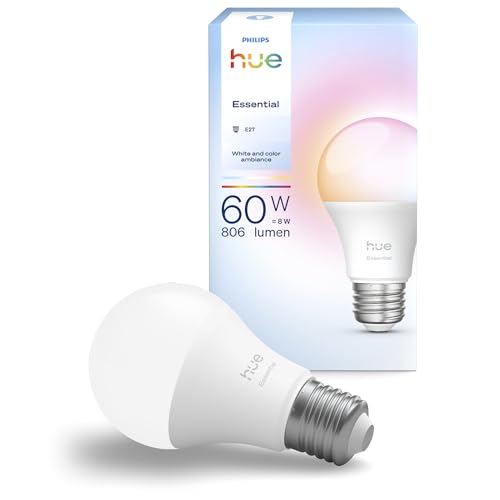
For most home offices, a couple of smart bulbs in existing fittings are the simplest ambient upgrade. They let you dial brightness and colour temperature up in the morning and down in the evening, often on a schedule, so your lighting matches the time of day without you thinking about it. Expect to pay around £10–£20 per bulb for tunable-white models, or a little more for full colour. [Affiliate link to recommended smart bulbs on Amazon UK]
Manage your natural light
Natural daylight is the best ambient light there is, but only if you control it. Position your desk side-on to a window rather than facing it (which causes glare on your screen) or backing onto it (which silhouettes you on camera). A cheap roller blind or sheer curtain lets you soften harsh direct sun without plunging the room into darkness. [Affiliate link to recommended desk-friendly blinds on Amazon UK]
Layer two: task lighting
Task lighting is the focused light that illuminates your immediate work area — your keyboard, your notepad, the documents you are reading. It is what stops you hunching forward to see, and it is the layer that does the most for day-to-day eye comfort. There are two main options: a desk lamp or a monitor light bar.
Desk lamps: the flexible classic
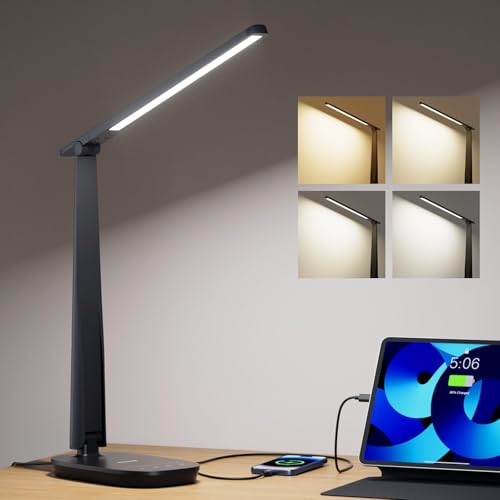
A good LED desk lamp is the most versatile task light. The best ones offer adjustable brightness and colour temperature, a wide head that spreads light evenly rather than creating a single hot spot, and an arm that lets you position the light to the side of your screen so it lights your desk without reflecting off the monitor. Expect to pay £30–£70 for a quality model. We cover specific picks in our companion roundup of the best LED desk lamps for eye comfort.
| Look for | Why it matters |
| Adjustable colour temperature | Cool white for focus by day, warm for evenings |
| Dimming | Match the lamp to your ambient light and avoid glare |
| Wide, even head | Spreads light across the desk rather than a harsh spot |
| Adjustable arm | Position light beside the screen to avoid reflections |
| High CRI (90+) | Colours look accurate — useful for any visual work |
Monitor light bars: the space-saver
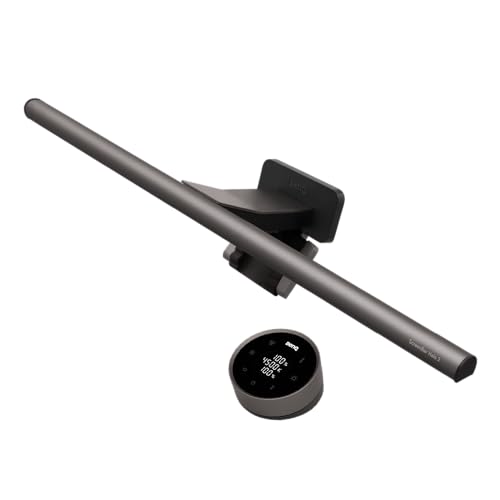
A monitor light bar clips onto the top of your screen and shines down onto your desk. Because it sits above and in front of you, a well-designed bar lights your keyboard and desk without any light spilling onto the screen itself, so there is no glare or reflection. It also takes up zero desk space, which makes it ideal for small setups. The BenQ ScreenBar range pioneered this category; expect to pay £80–£170 depending on the model. [Affiliate link to recommended monitor light bar on Amazon UK]
For most people working at a single monitor in a small-to-medium room, a monitor light bar is the cleanest task-lighting solution. If you frequently write by hand, sketch, or work across a wider desk, a positionable desk lamp gives you more reach.
Layer three: video-call lighting
The third layer is about how you look on camera, and it is the one that pays off in every meeting. Webcams and laptop cameras have small sensors that struggle in low light, producing grainy, dim, washed-out images. A little dedicated light fixes this instantly.
The golden rule: light from the front
The single most important principle is that your main light should come from in front of you, not behind. A window or lamp behind you turns you into a silhouette; the same light in front of you, slightly above eye level, lights your face evenly and flatteringly. If you do nothing else, move your desk so the brightest light source faces you.
Key lights and ring lights
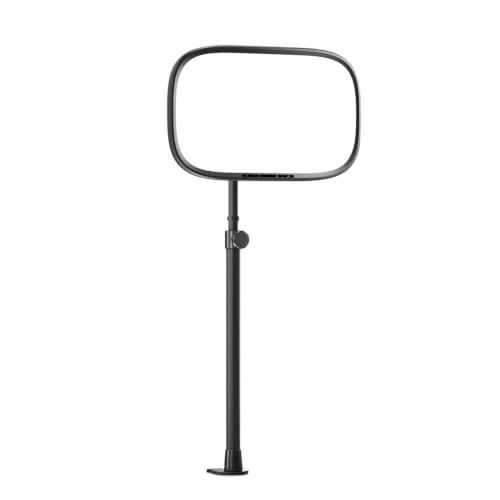
For a polished look, a dedicated key light sits behind or beside your monitor and throws soft, even light onto your face. The Elgato Key Light Air is the home-office favourite, offering app-controlled brightness and colour temperature. A ring light is a cheaper alternative that produces a characteristic circular catch-light in the eyes and clips to your desk or a tripod. Expect £30–£60 for a decent ring light and £100–£150 for a premium key light. [Affiliate link to recommended video call light on Amazon UK]
| Option | Approx. UK price | Best for |
| Well-placed desk lamp | £0 (reuse existing) | Casual calls on a budget |
| Ring light | £30–£60 | Frequent calls, simple setup |
| Key light (e.g. Elgato Key Light Air) | £100–£150 | Professional, polished on-camera presence |
Avoid mixed colour temperatures
One subtle trap on camera is mixing warm and cool light — say, a warm lamp on one side and cool daylight from a window on the other. This gives your face an uneven, slightly unwell colour cast. Try to keep all the light hitting your face at a similar colour temperature, ideally around 4500K to 5000K for a neutral, healthy look.
Putting it together: three example setups
You do not need all three layers in their most expensive form. Here is how the layers combine at three budgets, all of which we would happily work under.
The £50 budget setup
Two tunable smart bulbs in your existing ceiling and a corner lamp (ambient), a simple adjustable LED desk lamp (task), and that same desk lamp repositioned to face you for calls (video). It is not glamorous, but it covers all three layers and will transform a gloomy room.
The £150 sweet-spot setup
Smart bulbs plus a floor lamp for ambient, a monitor light bar for glare-free task lighting, and a ring light for calls. This is the setup we recommend for most people: comfortable all day and genuinely good on camera, without overspending.
The £350 premium setup
Full smart-lighting ambient layer on a daily schedule, a premium monitor light bar with auto-dimming, and an Elgato Key Light Air (or a pair) for broadcast-quality calls. Overkill for most, essential if you are on camera for a living.
Common home office lighting mistakes to avoid
- Working with only the screen lit in a dark room — the worst thing for eye strain.
- Facing or backing onto a bright window, causing glare or silhouetting on camera.
- Using a single harsh overhead bulb with no secondary light to soften shadows.
- Putting a desk lamp directly behind the monitor where it shines into your eyes.
- Mixing warm and cool light sources on your face during video calls.
- Leaving daytime-cool lighting on into the evening, which can disrupt your sleep.
Home office lighting guide: the verdict
If you take one thing from this home office lighting guide, make it this: think in three layers, not one. Lift the whole room with ambient light so your screen is not an island of brightness, add focused task light to your desk to keep your eyes relaxed, and put a flattering light in front of your face for calls. You can cover all three for under £100, and the payoff — fewer headaches, more energy, and looking sharp on every call — is out of all proportion to the cost.
For most home offices, our recommended starting point is a pair of tunable smart bulbs for ambient light and a quality monitor light bar for task light, adding a ring light or key light if you are on camera often. From there, read our detailed roundup of the best LED desk lamps for eye comfort and our BenQ ScreenBar Halo 2 review to choose the specific products that fit your desk and budget. [Affiliate link to recommended home office lighting kit on Amazon UK]