Spend any time in a standing-desk Facebook group or Reddit thread and the same question comes up every week: I have bought the desk, now what else do I actually need? The honest answer is that most standing-desk accessories on Amazon UK are filler — branded cable trays at three times the price of a generic one, footrests that solve a problem you do not have, and gadgets that exist because someone needed an extra SKU. A small handful, though, will quietly change how it feels to work at a sit-stand desk.
This guide is the best standing desk accessories shortlist we wish we had been handed when we bought our first FlexiSpot E7. Everything below has been bolted to, slid under, or draped across an electric desk in our London home office for at least a month. We have grouped them by what they actually do, ranked them by how much daily difference they make, and given a clear pick at each price point. If you only buy two things from this list, buy an anti-fatigue mat and a proper cable tray. The rest are upgrades, not essentials.
Quick picks — the best standing desk accessories at a glance
| Accessory | Best pick | Price | Why it matters |
| Anti-fatigue mat | Topo Comfort Mat (Ergodriven) | £89 | Saves your feet, knees and lower back on standing days |
| Cable management tray | FlexiSpot CMP034 under-desk tray | £32 | Stops cables yanking when the desk moves |
| Cable spine / chain | Yo-Yo DESK Cable Spine | £28 | Routes power and HDMI cleanly between desktop and floor |
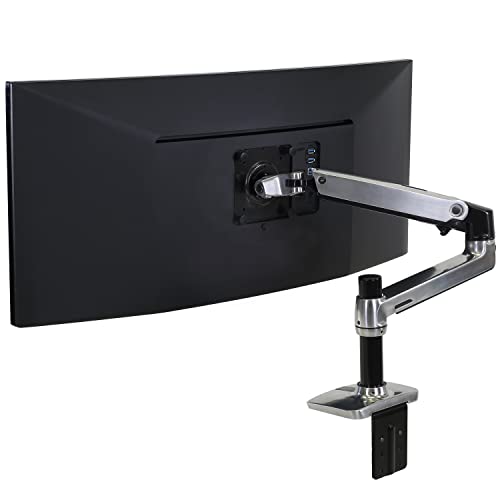
| Monitor arm | Ergotron LX (single) | £169 | Frees the desktop and keeps your screen at the right height |
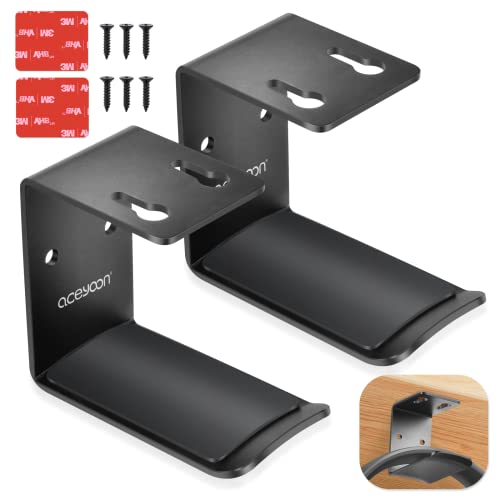
| Headphone hook | Anker under-desk hook | £9 | Tiny upgrade, used every single day |
| Standing-desk drawer | EUREKA ERGONOMIC under-desk drawer | £42 | Replaces the storage you lose by ditching a fixed desk |
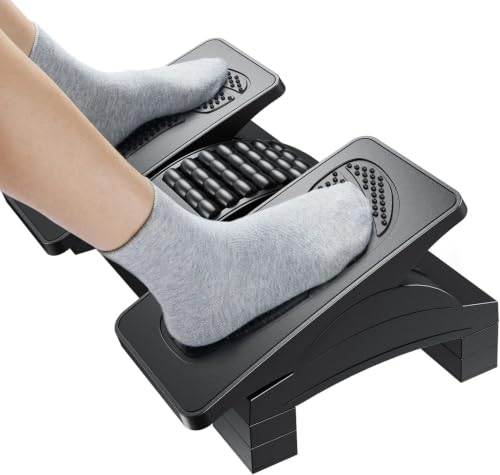
| Footrest (sitting) | HUANUO adjustable footrest | £35 | For shorter users whose feet now dangle on a higher chair |
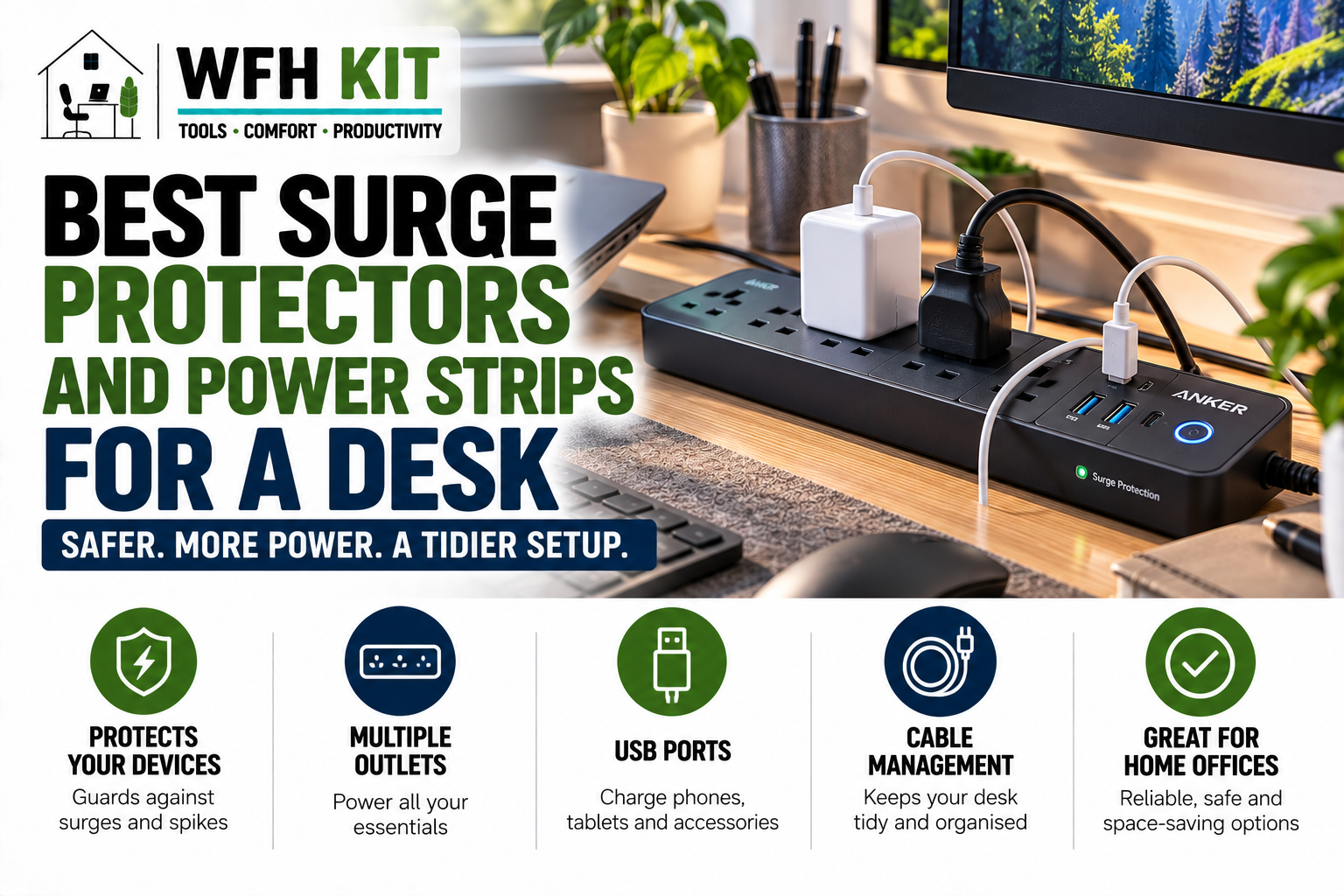
| Power strip mount | J Channel cable raceway + bracket | £18 | Keeps the power strip moving with the desk, not the floor |
| Desk grommet / hole cover | Generic 60 mm desk grommet | £6 | Tidies the cable hole if your top came pre-drilled |
| Standing reminder | Stand Up! Mac/Win app or Apple Watch Stand | Free | Cheapest accessory that actually changes behaviour |
If you want to skim, those are the picks. The rest of this guide explains why each one earns the spot, what to avoid in each category, and which accessories we have stopped recommending after living with them.
1. Anti-fatigue mat — the only standing-desk accessory we consider non-optional
Standing on a hard floor for four hours is not comfortable. Standing on a hard floor for four hours in socks, on top of a wood or vinyl surface, is borderline unpleasant by lunch. The single accessory that changes whether you actually stand at your desk — instead of giving up by 11am and sitting down again — is an anti-fatigue mat.
There are two camps. Flat mats are slabs of dense foam: cheap, simple, and effective for a couple of hours at a time. Contoured mats add raised edges and bumps that encourage micro-movement: you shift weight onto a heel, onto a toe, onto the side of the foot. They cost more, but they do something a flat mat cannot, which is make you move while you stand.
Best contoured mat — Topo Comfort Mat (Ergodriven), £89
The Topo is the mat we recommend to everyone who plans to stand for more than two hours a day. It is firm enough to feel supportive rather than spongy, the contours genuinely change how your weight sits, and after eight months ours shows no compression or wear. At 74 cm wide it fits under almost any desk; at 5 cm thick at the high points, you do step up onto it noticeably. [Affiliate link to Topo Comfort Mat on Amazon UK]
Best flat mat under £40 — Sky Solutions anti-fatigue mat, £29
If £89 feels steep for a piece of foam, the Sky Solutions 51 x 76 cm flat mat is the budget pick that we still see no reason to upgrade for users who stand for an hour at a time. It is dense, the bevelled edges have not curled after months, and it cleans with a damp cloth. [Affiliate link to Sky Solutions anti-fatigue mat on Amazon UK]
Avoid
- Wobble boards: marketed as the next step up from a Topo, but standing on something genuinely unstable while you type is more distracting than ergonomic. Skip.
- Pure rubber mats: they look the part but transmit cold from a tile floor and offer almost no cushioning.
2. Cable management — the difference between a standing desk and a chaos engine
Every standing desk has the same hidden problem: when the desktop rises 65 cm, every cable plugged into it has to rise with it. If those cables are running straight to a wall socket, they will either pull tight at full height or pool on the floor at sitting height, where they catch on chair wheels. Solving this is a two-part job. Move the power and floor-bound cables into a tray that rides with the desk; route the vertical run between desk and floor through a spine that flexes.
Best under-desk cable tray — FlexiSpot CMP034, £32
FlexiSpot’s own CMP034 tray is the one we have ended up with under three different desks now. It is steel, 64 cm long, screws into the underside of the desktop, and has enough room for a six-way power strip plus a small laptop dock. £32 is more than the generic Amazon trays, but the bracket geometry actually clears the desk’s crossbeam, which is where the cheap ones fail. [Affiliate link to FlexiSpot CMP034 cable tray on Amazon UK]
Best cable spine — Yo-Yo DESK Cable Spine, £28
A cable spine is a flexible vertical channel that hides the cable run from desk to floor. The Yo-Yo DESK version is a plastic concertina that compresses cleanly as the desk lowers, and it screws into both ends. It looks neater than a fabric sleeve and, critically, it stops cables from snagging on the chair when you slide back. [Affiliate link to Yo-Yo DESK Cable Spine on Amazon UK]
If you want to spend less
A roll of velcro cable ties (£6 on Amazon) and a £14 generic mesh tray will get you 80% of the way there. We have set up a friend’s office for under £25 in cable management and it has held up for a year. The reason we still pay more for the FlexiSpot tray on our own desks is that the bracket holes line up perfectly with FlexiSpot frames, which makes installation a five-minute job rather than a forty-minute exercise in pilot holes.
3. Monitor arm — the accessory that earns back its cost in desk space
A standing desk’s biggest practical limitation is that you cannot rest your forearms on the desktop in standing mode while also typing — your screen needs to come up with you, and a monitor on a stand is fixed in one position. A monitor arm decouples the screen from the desktop. You raise the desk; the screen stays at eye level. You sit down; you pull the screen towards you. You clear the desk for a video call; the screen swings out of the way entirely.
Best single-monitor arm — Ergotron LX, £169
The Ergotron LX is overkill for most setups and we still recommend it. The aluminium arm, the genuinely useful constant-force adjustment, and the ten-year warranty add up to the only monitor arm we would still buy at full retail. For monitors up to 34 inches and 11.3 kg it has more capacity than any home office needs. [Affiliate link to Ergotron LX on Amazon UK]
Best budget single-monitor arm — AmazonBasics premium monitor arm, £69
The AmazonBasics premium arm is a near-clone of an older Ergotron design at less than half the price. Build quality is a step down, but for a 27-inch monitor used in a fixed position day to day, it is fine. We have one supporting a Dell U2723QE in our second testing rig with no complaints after six months. [Affiliate link to AmazonBasics premium monitor arm on Amazon UK]
Dual-arm option — Ergotron LX dual stacking, £349
If you run two monitors on a standing desk, save yourself the desk grommet maths and buy a single base with a stacking arm. Two separate single-arm bases on a standing desk produce a forest of clamps that always end up colliding when the desk moves. [Affiliate link to Ergotron LX dual stacking monitor arm on Amazon UK]
4. Storage replacements — what to do about the drawers you no longer have
Most fixed-leg desks come with a pedestal of drawers. Most electric standing desks do not, because the height range and the dual-motor frame leave no room for fixed storage. You will be surprised how much you miss this on day three. The fix is a clip-on under-desk drawer.
Best under-desk drawer — EUREKA ERGONOMIC slim drawer, £42
The EUREKA drawer screws into the underside of any desk with a thick enough top (15 mm or more). It is roughly A4 in footprint, deep enough for a Bullet Journal, a pen tray, a packet of dongles and a charging cable. £42 is more than a generic equivalent, but the drawer slide has not loosened in eight months, and the steel construction means it does not sag when full. [Affiliate link to EUREKA ERGONOMIC under-desk drawer on Amazon UK]
If you want more — Yo-Yo DESK drawer + accessory module, £79
Yo-Yo’s modular system bolts a wider drawer plus a side-mounted cup or headphone holder onto the same base. We use it on our two-person desk where one user needs more visible storage than the other. [Affiliate link to Yo-Yo DESK drawer module on Amazon UK]
5. The small accessories that earn their place
Most of the standing-desk Amazon results are noise. The handful below cost less than £30 between them and we use every one of them daily.
- Under-desk headphone hook (Anker, £9): screws onto the underside of the desk and holds a pair of over-ear headphones out of the way. After a week you stop noticing it, which is the highest praise an accessory can earn. [Affiliate link to Anker under-desk headphone hook on Amazon UK]
- Power strip mount (J Channel raceway, £18): mounts a six-way extension to the underside of the desk so the strip moves with the desktop. The alternative — a power strip on the floor — means a tangle of cables that always pulls tight at full height. [Affiliate link to J Channel cable raceway on Amazon UK]
- Cable clips (Cable Matters self-adhesive, £6 for ten): for the inevitable orphan cable that does not fit in the tray. Stick three along the back edge of the desk and route the HDMI through them.
- Footrest (HUANUO adjustable, £35): only if you are shorter than about 5’6″. When you stop sitting at fixed-leg desk height and start sitting at variable-height-desk height, your feet may no longer reach the floor at the chair height that suits your screen. A footrest fixes it for the price of a takeaway. [Affiliate link to HUANUO adjustable footrest on Amazon UK]
- Desk grommet (£6 generic): if your desk top came pre-drilled for cable holes, a plastic grommet covers the edge and stops the hole from looking unfinished. Sounds petty, looks terrible without it.
6. The accessories you can almost always skip
Standing-desk accessories are a high-margin category and Amazon’s search results are full of products that solve problems you do not have. The list below is what we have tried, kept for a few weeks, and quietly stopped recommending.
- Standing-desk treadmills under £200: every cheap walking pad we tested either failed in under three months or made enough noise to be unusable on a video call. If you want a walking pad, budget £350 plus.
- Balance boards: novel for a week, distracting forever. Standing already gives you the movement; you do not need to add wobble.
- RGB under-desk LED kits: if you want one, fine, but they are not an ergonomic accessory and do not belong in this category.
- Premium-branded cable trays at £80 plus: the FlexiSpot CMP034 at £32 does the same job. Once a tray is bolted to the underside of your desk no one will see it.
- Most desk-mounted laptop holders: a monitor arm with a VESA laptop tray (£25) is more flexible and stronger.
Standing-desk accessories: what we would actually buy first
If you have just spent £400 on a FlexiSpot E7 and you have £150 left over, here is exactly how we would split it. This is the shortlist we would post into a friend’s chat without overthinking it.
- Topo Comfort Mat at £89 — the only accessory you will use every single standing minute.
- FlexiSpot CMP034 cable tray at £32 — buy this on the same order as the desk and install both in one go.
- Yo-Yo DESK cable spine at £28 — finishes the cable run between desk and floor.
- Anker under-desk headphone hook at £9 — boring, indispensable.
That gets you to £158 spent on accessories that you will notice every single working day. Everything else on this list is real but optional. The £169 monitor arm is the next thing to add, once you have lived with the desk for a month and you know whether you actually need the desk-space recovery a single arm gives you.
Frequently asked questions
Do I really need an anti-fatigue mat?
If you plan to stand for more than 30 to 40 minutes at a time on a hard floor, yes. We have spent four years standing at home-office desks and the difference between a £29 flat mat and standing on bare laminate is the difference between still standing at 4pm and giving up at lunch.
Will a monitor arm fit my FlexiSpot or Fully Jarvis?
Yes. Both desks have crossbeams that clear the standard C-clamp on an Ergotron or AmazonBasics arm. Check the desktop thickness against the arm’s clamp range (the LX accepts 10 to 60 mm). For desks with a back panel like the IKEA BEKANT, you may need a grommet-mount option instead.
What is the one accessory I should skip?
An expensive electric walking pad if you have not yet established a standing habit. The vast majority of treadmill desks we see in Facebook Marketplace are listed within a year of purchase. Establish that you actually stand for at least 90 minutes a day for a month, then revisit the walking pad question.
Where to buy in the UK
- [Affiliate link to Topo Comfort Mat on Amazon UK]
- [Affiliate link to FlexiSpot CMP034 cable tray on Amazon UK]
- [Affiliate link to Yo-Yo DESK Cable Spine on Amazon UK]
- [Affiliate link to Ergotron LX monitor arm on Amazon UK]
- [Affiliate link to AmazonBasics premium monitor arm on Amazon UK]
- [Affiliate link to EUREKA ERGONOMIC under-desk drawer on Amazon UK]
- [Affiliate link to HUANUO adjustable footrest on Amazon UK]
- [Affiliate link to Anker under-desk headphone hook on Amazon UK]
Conclusion — the best standing desk accessories worth buying in 2026
Most standing-desk accessories on Amazon UK are filler. The handful that are not are the ones you will use within five minutes of standing up — the mat under your feet, the tray that stops your cables snagging, the drawer that gives you back the storage you lost. Buy the Topo Comfort Mat, buy a cable tray, buy a cable spine, and buy a £9 headphone hook. Live with the desk for a month. Then, and only then, decide whether you need a monitor arm. That is the order we would recommend to anyone who has just clicked Buy on a FlexiSpot E7, a Fully Jarvis, or an IKEA BEKANT.
If you have not yet picked the desk itself, our companion guides cover the best standing desks under £500 in 2026 UK (post 027), the FlexiSpot E7 Pro long-term review (post 028), the FlexiSpot E7 versus Fully Jarvis comparison (post 029), and the Uplift V2 import question (post 030). And for the foundations — keyboards, mice, monitor light bars, ergonomic chairs — start with our complete home-office buying guides indexed on the WFHKit homepage.