
Poor lighting is the most overlooked cause of home-office eye strain. Two popular fixes compete for the same job: the monitor light bar that clips to the top of your screen, and the traditional desk lamp. This comparison covers which lights your work better, which saves desk space and which is worth your money.
Short answer: for a screen-based desk job, a monitor light bar is the better primary light. It lights your keyboard and paperwork without throwing glare onto the screen or using desk space. A desk lamp still wins for detailed close-up tasks and warmer ambient light, and many people use a light bar as the main light with a small lamp for accent.
Monitor light bar vs desk lamp: the quick verdict
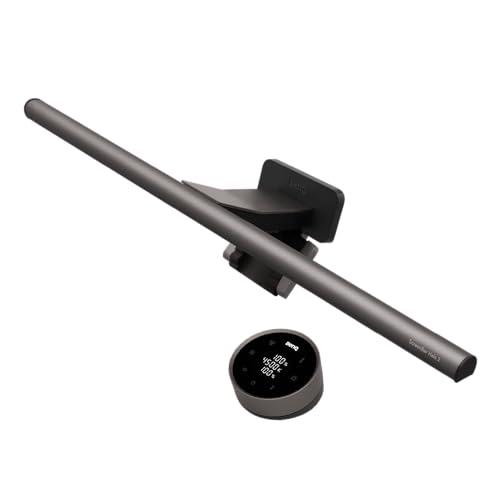
A monitor light bar sits on top of your display and casts light down onto the desk while asymmetric optics keep light off the screen. A desk lamp sits beside you and lights a pool of the desk from the side. The light bar was designed specifically to solve the two problems desk lamps cause at a computer: reflections on the screen and a footprint that eats desk space.
Our benchmark bar is the BenQ ScreenBar Halo 2, £149 on Amazon UK (September 2026), rated 4.7 stars from 1,259 ratings.
Glare and screen reflections
This is the deciding factor for most people. Point a desk lamp anywhere near your monitor and reflections wash out the display, forcing you to crank brightness. A quality bar such as the BenQ ScreenBar series uses an asymmetric reflector so no light hits the screen, only the desk below.
Desk space and clutter
A light bar clips to the monitor, uses no desk area and draws power from USB. A desk lamp always claims a corner of the desk and needs a mains socket, so in a small office the reclaimed space is a daily benefit.
Light quality and eye comfort
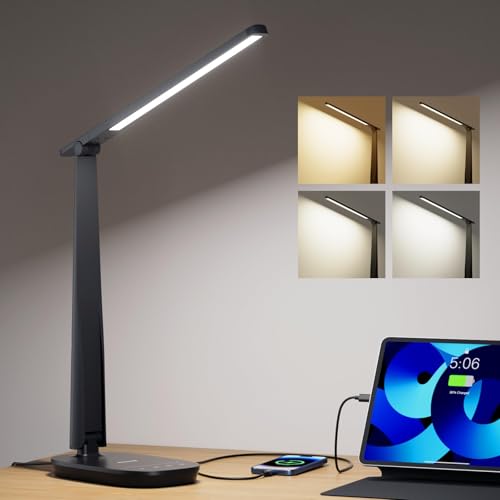
Both now offer adjustable colour temperature and brightness. Better bars add auto-dimming and flicker-free light, excellent over long days. Desk lamps deliver a more concentrated pool of light for close work such as reading contracts or sketching, and for raw task intensity on paper a good lamp still edges it. A well-reviewed option is the Honeywell LED desk lamp with USB charging, £33.99 on Amazon UK, rated 4.7 stars from 908 ratings.
Cost comparison
Factor | Monitor light bar | Desk lamp |
Typical price (good model) | £45–£150 | £25–£90 |
Desk space used | None | Corner of desk |
Screen glare | None (asymmetric optics) | Risk of reflections |
Best for | On-screen work all day | Close-up / paper tasks |
Power | USB from monitor/PC | Mains socket |
Ambient warmth | Focused on desk | Softer room glow |
When a desk lamp is the better choice
- Your work is paper-heavy: reading, writing, drawing or crafting.
- You want a warm ambient glow in the room.
- You have no monitor to clip a bar onto, as with a laptop-only setup.
- You are on a tight budget and want one flexible light.
When a monitor light bar wins
- You spend most of the day looking at a screen and want zero glare.
- Desk space is tight.
- You want automatic brightness that adapts to the room.
- You want a clean, cable-light USB-powered setup.
Our recommendation
For a typical monitor-based setup, buy the light bar first: it targets the glare and space problems that make desk lamps frustrating at a computer, and the eye-comfort payoff is real. The BenQ ScreenBar Halo 2 is our benchmark, with cheaper bars from Quntis and others getting most of the way there for around £45. If your work involves lots of paperwork, add a compact LED desk lamp for those tasks rather than choosing it as your only light.