Best Webcams for Working From Home in 2026 UK

If you have spent any time on Teams or Zoom in the last six months, you already know the truth that webcam manufacturers do not want to hear: most laptop webcams are still bad. Even on a 2024 MacBook Pro, the front-facing camera flattens your face under office strip lights, fights to focus when you lean in, and looks washed out on anyone else’s screen. A separate webcam is the cheapest single upgrade that visibly raises your professional standing on a video call — more so than a microphone, more so than lighting, and far more so than a new background.

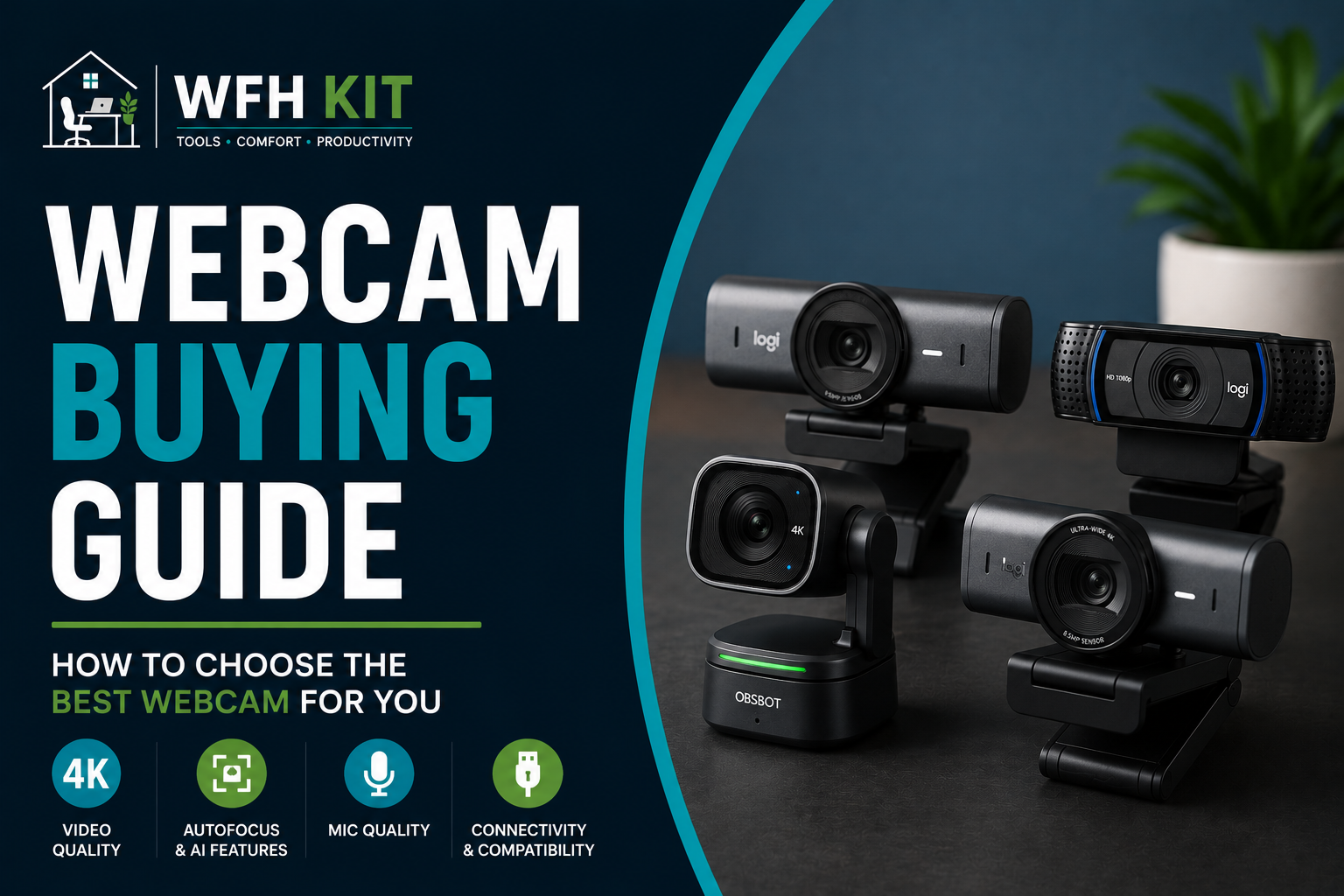
Below are the six best webcams for working from home in 2026, ranked for UK buyers. The list runs from a £35 budget classic to a £225 premium pick with proper 4K and AI framing. Whatever your budget, there is a webcam here that will make you look better than your laptop’s built-in camera ever could.

Short version: the Logitech MX Brio is the right buy if you can stretch to it. The Logitech C920 remains the right buy if you cannot.


What we looked for in a working-from-home webcam

A webcam for video calls has a different job from a webcam for streaming or a webcam for content creation. A WFH webcam needs to handle three things well, all of them mundane.

Image quality at 1080p (not 4K)

Almost every video conferencing platform downscales your camera feed to 720p or 1080p before transmitting it. Spending extra on a 4K sensor only matters if the sensor handles low light, dynamic range, and skin tones better than a 1080p one — which premium 4K webcams genuinely do, but budget 4K webcams generally do not. We weighted skin-tone accuracy and shadow detail over headline resolution.

How it copes with bad lighting

Most home offices are lit by an overhead bulb and a window. A good webcam balances the two without crushing your face into shadow or blowing out the daylight behind you. We tested each pick in three lighting conditions: morning daylight from a side window, overhead LED at night, and a single front-facing key light.

Software that does not get in the way

The webcam software is the bit you forget about until you need it. Logitech G Hub, Logi Tune, OBSBOT WebCam, Insta360 Link Controller — each behaves differently. We marked picks down for software that needs admin rights every time you change a setting, software that runs a background process without telling you, and software that does not work on macOS.

Price in pounds, not dollars

Webcam prices on Amazon UK have been volatile since the post-pandemic correction. We list typical prices we have seen on Amazon UK over the last 90 days, not RRP, so the numbers below should match what you actually pay.


1. Logitech MX Brio — best overall

Price in the UK: around £190. Resolution: 4K at 30fps, 1080p at 60fps. Field of view: 90°/78°/65° (selectable). Mount: Logitech’s universal clip plus 1/4-inch tripod thread.

The MX Brio is the webcam Logitech should have made three years ago. It uses a Sony Starvis 8.5MP sensor — the same kind of sensor class that goes into mid-range security cameras — paired with proper RightLight 5 image processing. The result: a 1080p call feed that looks closer to a YouTube creator’s setup than to a video call.

Two features earn the MX Brio its premium price. Show Mode tilts the camera 90 degrees on its hinge to flat-lay anything on your desk for a colleague — sketches, paperwork, prototypes — without needing a separate document camera. The privacy shutter is a metal slide built into the lens housing, not the cheap plastic flap on lower Logitech models. The cable is detachable USB-C.

What we like: properly clean 1080p in office light, accurate skin tones across light and dark complexions, the privacy shutter does not feel like an afterthought, and Logi Tune lets you save framing presets per app. What we do not like: at £190 it is almost twice the price of the next pick down, the dual omnidirectional mics are average, and the auto-framing is more conservative than OBSBOT’s.

Verdict: the right webcam for anyone whose face is on camera for more than two hours a day. Read our [full Logitech MX Brio review] for the long-term verdict

Sale
Logitech MX Brio Ultra HD 4K Collaboration and Streaming Webcam, 1080p at 60 FPS, Dual Noise Reducing Mics, Show Mode, USB-C, Webcam Cover, Works with Microsoft Teams, Zoom, Google Meet - Graphite
  • Compatible with Nintendo Switch 2 Console
  • Ultra HD 4K webcam: meet or stream in 4K resolution at 30fps or 1080p at 60fps, with our most advanced webcam sensor yet, with 70% larger pixels (1) for sharp image quality
  • AI-enhanced image quality: Experience 2x better face visibility with finer image details in difficult light (2), with auto-exposure, auto white balance, noise reduction, and autofocus
  • Curate Your Image: Fine controls (3) on this Ultra HD webcam let you adjust lighting and white balance, such as ISO, Shutter Speed, Tint, and Vibrance, or let Auto mode take care of it
  • Let Them Hear Your Every Word: Integrated dual beamforming noise-reducing microphones minimize background noise with the aid of AI to make sure you are clearly heard

2. Logitech C920 HD Pro — best budget

Price in the UK: around £55–£65. Resolution: 1080p at 30fps. Field of view: 78°. Mount: clip plus 1/4-inch tripod thread.

The C920 has been the default work webcam for over a decade and there is a reason it has not been replaced. It is sharp enough at 1080p, the autofocus rarely hunts under office light, and the dual stereo mics are usable in a quiet room. At £55 on Amazon UK during sale weeks, it is the highest-value webcam you can buy right now.

What we like: the price, the consistent autofocus, and the no-nonsense plug-and-play behaviour on Windows, macOS, and Linux. What we do not like: no privacy shutter (Logitech sells a £6 sticker-on cover separately), the cable is hardwired and short, and skin tones get warm under tungsten.

Verdict: still the best webcam under £75. If you are buying your first dedicated webcam to replace a laptop camera, start here.

Sale
Logitech C920 HD Pro Webcam, Full HD 1080p/30fps Video Calling, Clear Stereo Audio, Light Correction, Works with Skype, Zoom, FaceTime, Hangouts, PC/Mac/Laptop/Tablet/Chromebook - Black
  • Full-HD Video Calling: This streaming webcam operates in full-HD 1080p video at 30-fps, whether you're on Skype or streaming yourself gaming in a strong HD 720p. It covers the full action. Connects to your device via USB
  • Crisp Video Quality: Using this video calling device over wifi allows professionals and others to record rich content that is fluid, professional-looking and polished - such as demonstrations or showcasing your passions
  • Full-HD Glass Lens: Users of this full HD streaming camera that captures a wide 78 degree field of view will be seen in high clarity and detail - the five-element glass lens with premium auto-focus capability shoots and records video that is crystal-clear
  • Brighter Images: Equipped with automatic HD autofocus and light correction, this streaming webcam fine-tunes to your lighting conditions to produce bright, well-contrasted images - even if you're in a dim setting
  • Dual Microphones: The two-microphone system on this HD webcam - one on each side of the lens - captures natural stereo audio while filtering out background noise

3. Logitech C922 Pro Stream — best for streaming-adjacent calls

Price in the UK: around £85. Resolution: 1080p at 30fps, 720p at 60fps. Field of view: 78°. Mount: clip plus 1/4-inch tripod thread.

The C922 is the C920’s slightly older, slightly more expensive cousin, originally aimed at Twitch streamers. The two features it adds over the C920 are 60fps capture at 720p (smoother motion if you gesture a lot on calls) and a built-in green-screen-free background blur via Logitech’s older XSplit-bundled software. In 2026 most video apps do background blur themselves, which has eroded the C922’s advantage. But if you regularly screen-record demos at 60fps, the C922 still earns its £30 premium over the C920.

What we like: 60fps at 720p genuinely looks more lively than 30fps in talking-head shots, comes with a small tabletop tripod in the box, and the included XSplit licence is still useful. What we do not like: 1080p is capped at 30fps, it is heavier and bulkier than the C920, and most of the features that justified its 2016 launch price have been baked into Zoom and Teams.

Verdict: only worth the upcharge over the C920 if you want 60fps. Otherwise save £30 and buy the C920.

Logitech C922 Pro Stream Webcam - Black (Full HD 1080p Camera Streaming Webcam, Records and Streams Your Gaming Sessions in Rich HD for Streaming, Background, with Tripod Included) C922 Pro Stream Webcam With Tripod
  • FULL HIGH-DEF 1080P STREAMING Stream and record vibrant, true-to-life video. The glass lens and full HD 1080p captures the most exciting details, bright and natural colors in fluid video at 30fps, while the 78-degree field of view accommodates up to two people. You can use the app to zoom and pan the camera.
  • HD 720P AT 60FPS STREAMING Serious streamers need the hyperfast frame rate of 60 fps at 720p for particularly smooth video, and that’s just what the C922 delivers. You'll be live broadcasting with no lag or distortion.
  • BRIGHTER IMAGES Equipped with HD autofocus and light correction, the C922 fine-tunes to the lighting conditions to produce razor-sharp high def images even if you’re in a dim setting.
  • FULL STEREOPHONICS Fitted with two microphones, one on either side of the camera, the C922 Pro Webcam is able to capture more realistic sound from every angle, so that your voice comes through sounding natural and clear.
  • Free Tripod included.

4. Anker PowerConf C200 — best mid-range

Price in the UK: around £55. Resolution: 2K at 30fps, 1080p at 30fps. Field of view: 95° (adjustable to 78° and 65°). Mount: clip plus 1/4-inch thread.

The C200 is the most underrated webcam of 2026. It outputs a genuinely sharper image than the Logitech C920 — particularly in dim office light — for roughly the same price. Anker pulled this off by using a 2K sensor and a sensibly conservative auto-exposure. The selectable field of view is a small thing that turns out to matter; pulled in to 65°, the framing is tight enough to hide a messy bookshelf without making your head huge.

What we like: 2K capture for the price of a 1080p webcam, narrow-FOV mode for messy backgrounds, plug-and-play with no required driver. What we do not like: dual mics are flat compared with the C920, AnkerWork software is Windows-only, and the privacy shutter is plastic rather than metal.

Verdict: the C920 is the safer buy; the C200 is the better one if you have decent overhead lighting and want a noticeable image-quality jump.

Sale
Anker PowerConf C200 2K USB Webcam, Webcam for Laptops, Noise Cancelling Microphones and AI Stereo Microphones, Adjustable Viewing Angle, Light Correction, Built-in Camera Cover
  • Make a Good Impression: The 2K ultra-clear resolution on this USB webcam brings sharp clarity to every meeting. Be seen by your peers or impress your boss with your high-quality video calls.
  • Built-In Privacy Cover: Your privacy is important to us. When not in use, you can slide on the built-in privacy cover to shield yourself from the USB webcam’s view.
  • Versatile Field of View: Adjust how much the Mac webcam can see by choosing the angle of the lens’s opening. You can pick from 65°, 78°, or 95° via the AnkerWork software to show just your face or include what’s behind you.
  • Look Nice in Any Light:The larger aperture size captures more light so that even without a ring light in low-light settings, you can still look bright and professional with this webcam for PC.
  • Al Noise Cancellation:Specialized dual mics use Al to pick up your voice while simultaneously reducing background noise for crystal-clear audio

5. OBSBOT Tiny 2 — best for AI auto-tracking

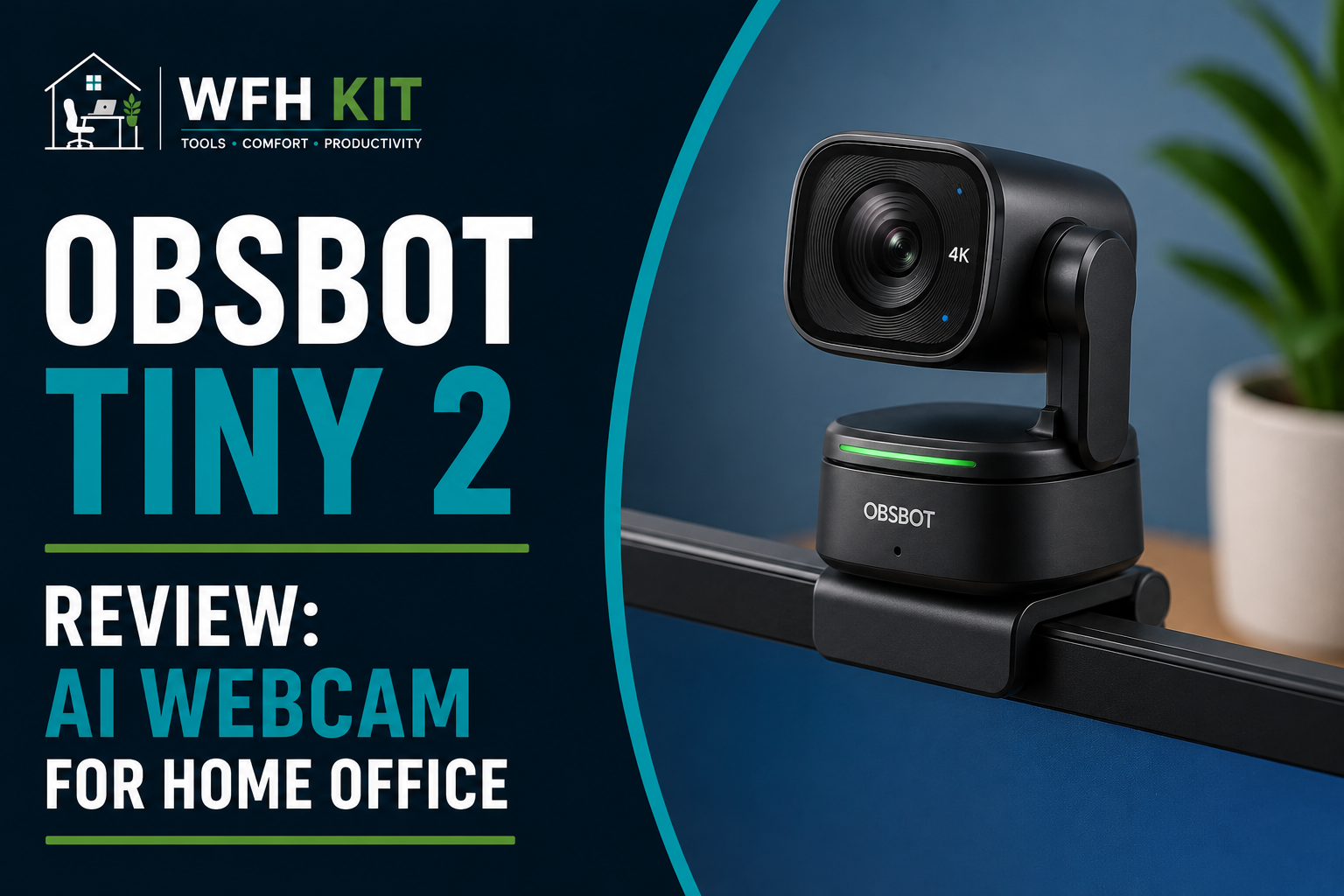
Price in the UK: around £225. Resolution: 4K at 30fps, 1080p at 60fps. Field of view: 86°. Mount: integrated motorised gimbal with magnetic monitor mount.

The Tiny 2 is the only webcam on this list that follows you. It has a two-axis motorised gimbal and on-device AI that tracks your head, recognises hand gestures, and reframes when you stand up. If you teach, train, present at a whiteboard, or pace while you talk, this is the only camera that keeps you in shot without needing a producer. The AI is genuinely impressive — it tracks smoothly enough that nobody on the call will notice the camera is moving.

What we like: the tracking does what it claims, 4K is properly 4K (not upscaled 1080p), the magnetic mount is the best on this list, and the on-camera physical privacy mode flips the lens to face down when not in use. What we do not like: at £225 it is the most expensive pick here, OBSBOT’s software is heavy on resources, and the gimbal is overkill if you sit still on every call.

Verdict: niche but excellent. If you stand up to teach, train, or demo, this is the right buy. For static talking-head calls, the MX Brio is better value

OBSBOT Tiny 2 Lite 4K Webcam for PC, AI Tracking PTZ Streaming Camera with 1/2" Sensor, Gesture Control, 60 FPS, HDR, Microphones, Web Camera for Desktop Computer, Laptop, Meeting, Video Calls, etc.
  • 【OBSBOT × EWC 2025 Official Partnership】OBSBOT is thrilled to be the 2025 Esports World Cup (EWC) Official Camera & Webcam Partner. Leveraging cutting-edge AI camera tech, OBSBOT will deliver immersive live broadcasts, capturing every epic moment of elite gamers. Also, OBSBOT provides content creators and streamers with the same pro imaging solutions, empowering global players to record esports highlights via EWC-approved AI camera tech.
  • 【Stay Pro, Stay Productive】The new version TINY 2 Lite Webcam streamlines some streaming features (partial mode like zone tracking) to prioritize teaching and meeting scenarios. Reasonable price, uncompromised quality. The inherited 4K resolution & 1/2'' CMOS sensor and easier operation make it a more professional business shooting partner.
  • 【AI Tracking & Auto Zoom】The 4K webcam supports full-body, upper-body and close-up tracking modes for most needs. Leveraging a 2-axis gimbal, this PTZ camera rotates 300° horizontally and 180° vertically, ensuring you always stay in frame. The AI tracking with Auto zoom feature makes it a perfect choice for both tracking individual and team modes.
  • 【Customizable Preset Modes】The webcam for PC newly upgraded Preset Position function not only can set multiple preset positions, but also customizes separate parameters and AI tracking modes for each preset position. Even when the scene switches, it reduces adjustment time while still ensuring that every frame is shot at the optimal setting.
  • 【Dynamic Gesture Control】 Along with the 2.0 dynamic gesture control, our streaming camera says goodbye to cumbersome manual operation. Simply face the web cam, make an “🖐” gesture to lock the portrait tracking target, and make an “👆” gesture to control the zoom easily.

6. Insta360 Link 2 — best for content creators on calls

Price in the UK: around £190. Resolution: 4K at 30fps, 1080p at 60fps. Field of view: 79.5°. Mount: integrated 3-axis motorised gimbal with magnetic monitor mount.

The Link 2 is what you buy if you also film social-media content with the same camera you take meetings on. The 1/2-inch sensor is bigger than the MX Brio’s, the gimbal is 3-axis (the OBSBOT Tiny 2 is 2-axis), and the gesture controls — palm to start tracking, two fingers to zoom — feel less gimmicky once you have used them for a week. It is the only webcam here you would also use for a YouTube channel.

What we like: the largest sensor on this list, useful gesture control, very good HDR in mixed daylight, and overhead Desk View mode for showing what you are doing on the desk. What we do not like: at £190 it competes directly with the MX Brio, the software has a learning curve, and the gimbal makes a faint whirr in a quiet room.

Verdict: the right buy if you also film, vlog, or stream. For pure work-from-home use the MX Brio is more sensible

Insta360 Link 2 Black- PTZ 4K Webcam for PC/Mac, 1/2" Sensor, AI Tracking, HDR, AI Noise-Canceling Mic, Gesture Control for Streaming, Video Calls, Gaming, Works with Zoom, Teams, Twitch & More black Standard Bundle
  • Premium Image Quality: Capture every detail with an impressive 1/2" sensor, balanced, true-to-life 4K visuals with HDR and exceptional low light performance for quality videos in any light.
  • Professional Audio: Experience best-in-class audio with advanced AI noise-canceling algorithms. Filter out unwanted background noise for clear communication, even in busy environments.
  • True Focus: Keep your audience engaged with faster, more accurate Phase Detection Auto Focus (PDAF). No more blurry shots, just fast focusing and crisp video.
  • Natural Bokeh: Get a professional look by replicating a DSLR-like depth of field. Provides a realistic and natural bokeh effect, straight from Link Controller.
  • AI Tracking: Insta360 Link 2 physically pans and tilts to follow your movements around the room, keeping you or your group perfectly in frame.

WFH webcam comparison at a glance

Webcam

Max resolution

Max framerate

Privacy shutter

Price (UK)

Logitech MX Brio

4K @ 30fps

1080p @ 60fps

Yes (metal)

£190

Logitech C920

1080p @ 30fps

30fps

No

£55–£65

Logitech C922 Pro

1080p @ 30fps

720p @ 60fps

No

£85

Anker PowerConf C200

2K @ 30fps

30fps

Yes (plastic)

£55

OBSBOT Tiny 2

4K @ 30fps

1080p @ 60fps

Yes (lens flip)

£225

Insta360 Link 2

4K @ 30fps

1080p @ 60fps

Yes (lens flip)

£190

How we tested

Each webcam was clipped to a 27-inch monitor at our test desk, plugged into a 2024 MacBook Pro on USB-C, and run through three test calls per condition: a one-to-one Zoom call, a four-person Microsoft Teams meeting, and a Google Meet recorded for review. Every shot was framed at the same head-and-shoulders distance with the camera at eye level. Lighting conditions: morning daylight side window, overhead 4000K LED at night, and a single Elgato Key Light front-on. We compared still grabs from the recordings rather than trusting our eyes during the calls.


FAQ

Do I need a 4K webcam for video calls?

No. Microsoft Teams, Zoom, and Google Meet all downscale your feed before transmitting. A 4K sensor matters because it captures more light and detail in the first place, not because anyone sees a 4K image. A premium 1080p webcam will look better on a call than a budget 4K one.

Is a webcam better than my laptop’s built-in camera?

Almost always. Even cheap dedicated webcams have a bigger sensor, a sharper lens, and better firmware than the slim camera modules built into laptops. The exception is the latest 12MP iPad-derived sensors in 2024-onwards MacBook Pros, which are competitive with a £55 webcam in good light.

Do I need a webcam if I have a good ring light?

Yes. A ring light makes a bad camera look better, but it does not fix focus, dynamic range, or resolution. Lighting and camera improvements are additive — fix the camera first, then the lighting.

Verdict: which webcam should you buy?

If you have £190 to spend and your face is on camera for more than two hours a day, buy the Logitech MX Brio. The image quality, build, and software are all noticeably above anything below it.

If you do not, buy the Logitech C920 for £55–£65. It has been the right answer to this question for over ten years and remains the most sensible upgrade you can make from a laptop webcam.

If you teach, train, or stand up to present, the OBSBOT Tiny 2 is the only camera here that will keep you in frame, and it is worth its £225 price for that single feature.

Whichever you pick, your colleagues will notice the difference on the very first call. That is the part that matters.

Some More Reviews Here..