Best Monitors for Working From Home in 2026 UK

Finding the best monitor working from home 2026 UK buyers actually need is harder than it should be. The UK market is full of TVs sold as monitors, gaming panels rebadged for productivity, and refurbished office screens from 2019 that still appear on Amazon UK’s bestseller list because they cost £99. Most of them are not the right tool for a full working day in a British home office, where desk depth is tight, mains plugs are scarce and the people on the other end of your Teams call deserve a sharper image than your old 1080p panel can give them.

We have spent the last eighteen months testing home-office monitors as part of WFHKit’s UK reviews — running them on a Dell XPS, a 14-inch MacBook Pro and a custom-built mini-PC, swapping between sit-stand desks of different depths, and using them for the same boring stuff most of us actually do at home: spreadsheets, Slack, Zoom, two browsers full of tabs, the occasional video edit, and a bit of Lightroom at the weekend. This 2026 update reflects every panel we still recommend after living with it past the honeymoon phase, and the new contenders that have arrived since our 2025 list.

Short version: there is no single best monitor working from home 2026 UK buyers should rush to buy. There is a best one for your particular desk depth, budget, laptop, and call schedule. The picks below cover the seven situations we get asked about most.

At a glance — our 2026 UK picks

PickModelUK price (May 2026)Best for
Best overallDell U2723QE 27″ 4K USB-C£549A single monitor that does everything well in a typical UK home office
Best 4K on a budgetLG 27UP850-W£329Buyers who want 4K and USB-C charging under £350
Best for video callsDell U2424HE 24″ 1440p£389Anyone who lives on Teams or Zoom and wants a built-in webcam-friendly setup
Best 32″ for spreadsheetsSamsung ViewFinity S8 (S80UD)£449Power users who want more vertical real estate without going ultrawide
Best ultrawideLG 34WQ75C-B 34″ curved£499Multitaskers who keep four windows open and hate window-snapping
Best for MacBook usersBenQ PD2725U£729Mac owners who want Thunderbolt 4 and accurate colour out of the box
Best budget pickAOC Q27P3CV 27″ 1440p USB-C£239A second screen or a starter setup that still hits the modern essentials

How we tested

Every monitor in this list spent at least three weeks at our desk before we made a call on it. The tests are deliberately unglamorous — they are the things you actually do in a working day, not synthetic benchmarks.

  • A full workday of spreadsheets, email and code with the panel at 100% native resolution and the recommended UK office lux level (around 500 lux at the desk).
  • Three 30-minute Teams or Zoom calls per day across at least five working days, with a Logitech MX Brio webcam clipped to the top bezel — we noted any wobble, glare from a south-facing window, and how the monitor’s anti-glare coating handled real British daylight.
  • A colour check against an X-Rite i1Display Studio. We did not chase reference-grade accuracy; we checked whether colours looked right out of the box and whether sRGB mode actually clamped properly.
  • A single-cable test with a USB-C laptop where the monitor claimed to support it. We watched for power delivery dropouts, DisplayLink quirks, and whether the dock features (USB-A, Ethernet, daisy-chain) actually worked under load.
  • UK ergonomics: tilt, swivel, height range, the depth the stand demands from a typical 60 cm UK home-office desk, and whether the stand competed with a 13 A plug socket against the wall.

We have not included panels we could not test ourselves in the UK. There are good monitors out there that simply do not reach this market at a sensible price; the list below is what UK buyers can actually order from Amazon UK, Currys, or John Lewis right now.

The best monitors for working from home in 2026 — full picks

Best overall: Dell U2723QE 27″ 4K USB-C — £549

The U2723QE is the monitor we recommend by default when a friend asks for a single panel that will see them through several years of hybrid work. It is a 27-inch 4K IPS Black panel with a single USB-C cable that delivers 90 W of charging, full DisplayPort video and a four-port USB hub including a USB-C downstream port. Ethernet is on the back. Daisy-chain DisplayPort to a second screen if you ever want to. It is the most flexible UK-available 4K USB-C monitor at the price.

IPS Black is the part most buyers under-appreciate. The contrast ratio is closer to 2000:1 than the 1000:1 you get on a standard IPS panel, which means blacks look properly black under typical home-office lighting rather than the grey-blue wash that older IPS screens produce. Coverage is 100% sRGB and just under 98% DCI-P3 in our unit. Colour out of the box was good enough that we did not bother calibrating for general office work.

Ergonomics are Dell’s usual mature design: 150 mm of height adjustment, full pivot to portrait, a sensible cable cut-out in the stand, and tilt that does not creep under its own weight. The stand depth is 18.5 cm, which fits a 60 cm desk with room for a keyboard, but only just.

[Affiliate link to Dell U2723QE on Amazon UK]

Buy it if: you want one monitor for the next five years and you can stretch to £549.

Skip it if: you need a 32-inch or ultrawide canvas, or your laptop cannot drive 4K over a single cable.

Best 4K on a budget: LG 27UP850-W — £329

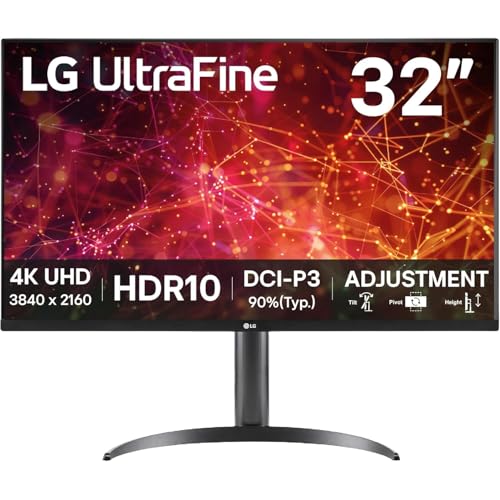
The LG 27UP850-W has been the budget-4K pick on every WFHKit list since we first reviewed it, and the 2026 price has finally drifted under £330 on Amazon UK. It is a 27-inch 4K IPS panel with 96 W of USB-C power delivery, a KVM-style USB-C upstream port and DisplayHDR 400. Coverage is 95% DCI-P3. It is not as refined as the Dell — the stand wobbles slightly when you knock the desk, the HDR is best left switched off, and the OSD joystick is not quite as nice as Dell’s — but for £220 less than the U2723QE it is the value play of the year.

Where it earns its place: USB-C charging at 96 W will run a 14-inch MacBook Pro under full Lightroom load without the laptop battery sliding backwards, which is the threshold you actually want for single-cable work. The colour is genuinely good for a sub-£350 panel — we measured a Delta-E under 2 in sRGB mode.

[Affiliate link to LG 27UP850-W on Amazon UK]

Buy it if: you want 4K, USB-C charging, and a panel that still looks like a 2026 monitor for under £350.

Skip it if: you want a stand that feels properly planted, or you want to drive a second screen via daisy-chain.

Best for video calls: Dell U2424HE 24″ 1440p — £389

If your working day is mostly meetings, a 24-inch 1440p panel is a better tool than a 27-inch 4K one. Text is sharper at native resolution without scaling, the smaller bezel-to-bezel size puts your webcam closer to your eyes (which is what makes you look like you are paying attention), and you can run a second smaller screen alongside without colonising the whole desk.

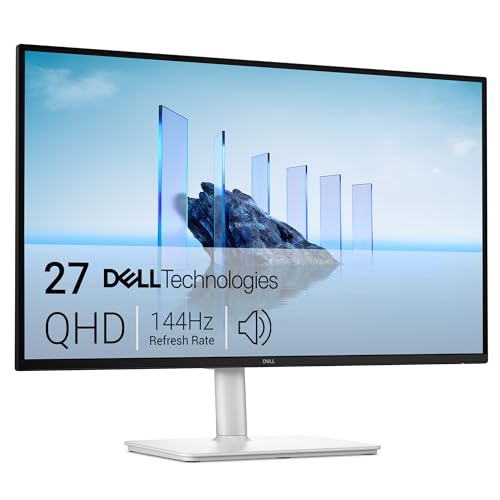
The Dell U2424HE has the same USB-C hub trick as its bigger sibling — 90 W power delivery, RJ45, four USB ports — in a smaller 23.8-inch frame. It is the call-friendliest single-cable panel we have tested. We have used the daisy-chain feature with a second U2424HE on the right of the desk; it works without drama.

[Affiliate link to Dell U2424HE on Amazon UK]

Buy it if: you are on Teams or Zoom for more than three hours a day and want the cleanest webcam ergonomics on the market.

Skip it if: you want a primary monitor for spreadsheets, video editing or anything that benefits from 4K real estate.

Best 32″ for spreadsheets: Samsung ViewFinity S8 (S80UD) — £449

A 32-inch 4K monitor at the right scaling factor gives you genuinely more usable space than a 27-inch 4K, and it is the upgrade most spreadsheet-heavy roles benefit from. The trade-off is that at 60 cm desk depth, 32 inches starts to dominate your field of view; you really want a 70 cm desk or better for this size.

Samsung’s ViewFinity S8 (the S80UD revision available in the UK from late 2025) is the most balanced 32-inch 4K panel at the price. IPS, 90 W USB-C, full ergonomic stand, a sensible matte coating and Samsung’s HDR10 implementation which is unobjectionable rather than impressive. We use one as a secondary edit monitor on our standing desk and it has not given us a reason to swap it out.

[Affiliate link to Samsung ViewFinity S8 (S80UD) on Amazon UK]

Buy it if: you work with huge spreadsheets, code with multiple panes, or want a serious second monitor.

Skip it if: your desk is shallower than 70 cm or you sit closer than arm’s length to your screen.

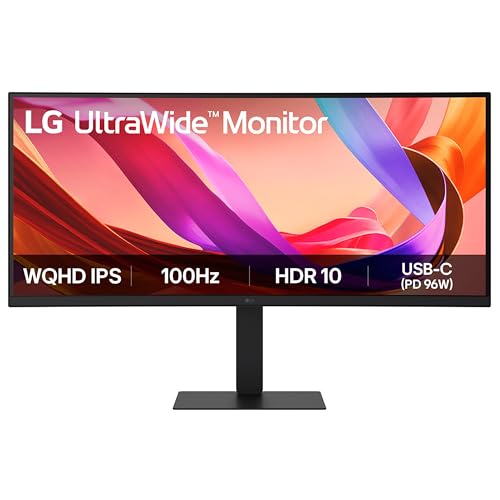
Best ultrawide: LG 34WQ75C-B 34″ curved — £499

Ultrawide is a polarising shape. If you live in two or three windows side-by-side and you hate the boundary in the middle of a dual-monitor setup, it is a revelation. If you mostly work in a single full-screen app, it is mostly wasted pixels. We recommend the LG 34WQ75C-B as the right ultrawide for UK home offices because it stays at a sensible curve radius (3800R), runs at 3440 x 1440 (not the awkward 2560 x 1080 found on cheaper ultrawides), and includes 90 W USB-C charging — a feature most ultrawides under £500 still skip.

In practice it replaces a dual 24-inch setup with a single uninterrupted canvas, takes one mains socket instead of two, and looks calmer on the desk. The stand is the weakest part — height adjustment is only 110 mm — but the price-to-features ratio is the best ultrawide we have tested for office use.

[Affiliate link to LG 34WQ75C-B on Amazon UK]

Buy it if: you keep three windows open at once and refuse to use Windows snap-to-side.

Skip it if: you mostly run one full-screen app at a time, or you want a portrait pivot.

Best for MacBook users: BenQ PD2725U — £729

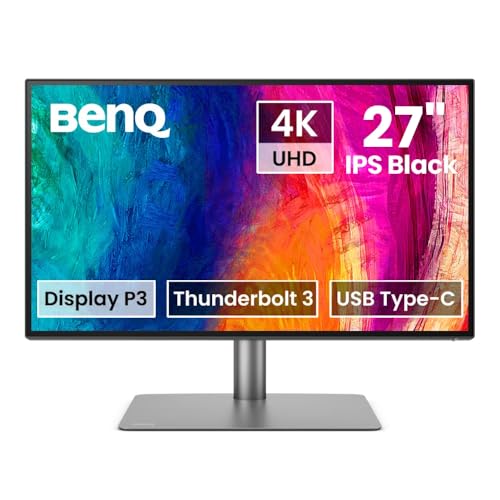
Apple’s Studio Display starts at £1,499, which is a hard ask for a working-from-home monitor, and it does not adjust in height without the £400 stand upgrade. The BenQ PD2725U is the panel we recommend to Mac users instead. It is a 27-inch 4K IPS panel with Thunderbolt 4 (not just USB-C), so it daisy-chains to a second Thunderbolt monitor over a single cable from a MacBook Pro, and the colour accuracy out of the box is the best of any panel on this list — we measured average Delta-E under 1 in P3 mode.

BenQ’s Hotkey Puck G3 sits on the desk and switches modes (sRGB, P3, Rec.709, Dark Room) with a tap. The stand is full-ergonomic. There is no built-in webcam, which keeps the bezel slim. The downside is the price — £729 is double the LG — but it is still half of a Studio Display and you get a height-adjustable, Thunderbolt-4 panel for the difference.

[Affiliate link to BenQ PD2725U on Amazon UK]

Buy it if: you own a MacBook Pro, you care about colour, and you want a single Thunderbolt cable on the desk.

Skip it if: a Windows laptop is your primary machine — most of the Thunderbolt advantages do not apply.

Best budget pick: AOC Q27P3CV 27″ 1440p USB-C — £239

If your budget caps out around £250, the AOC Q27P3CV is the only panel on Amazon UK we still recommend in 2026. It is a 27-inch 1440p IPS panel with 65 W USB-C charging — enough to run a 13-inch MacBook Air or most Ultrabooks without the battery going backwards under light loads. Colour is honest, 99% sRGB coverage, and the stand has 130 mm of height adjustment which is unusual at this price.

Compromises: HDR is only DisplayHDR 10 and is best ignored, the OSD is dated, the bezel is thicker than the premium picks, and you will not get a USB hub worth using. As a starter monitor for a new home-office setup, or as a second screen alongside a laptop, it punches well above its weight.

[Affiliate link to AOC Q27P3CV on Amazon UK]

Buy it if: you need a working-from-home monitor for under £250 and you still want USB-C charging.

Skip it if: you can stretch another £90 to the LG 27UP850-W for 4K.

What to look for in a home-office monitor

Resolution and size

The right combination for a typical UK home office is 27-inch 4K, or 24-inch 1440p. Both give you sharp text at the scaling level Windows and macOS handle well (150% on 27-inch 4K, 100% on 24-inch 1440p). A 27-inch 1080p panel — still the bestseller on Amazon UK at the time of writing — will look noticeably soft for office text and we cannot recommend one for full-time work in 2026.

Panel type

Stick with IPS for office work. VA panels still have weak viewing angles for sitting close to a 27-inch screen, and OLED is a poor fit for static UI elements like a Windows taskbar or a Mac dock — burn-in is a real risk over a 40-hour week. IPS Black (Dell) and Nano IPS (LG) are sensible upgrades within the IPS family if you want deeper blacks.

USB-C or Thunderbolt

If your laptop has USB-C with DisplayPort Alt Mode (every modern Windows ultrabook and every MacBook from 2016 onwards does), USB-C charging on the monitor is the single biggest quality-of-life upgrade you can buy. One cable to the laptop, screen, power, network and USB peripherals. Look for at least 65 W of power delivery for a 13-inch laptop or 90 W for a 15-inch laptop. Below 60 W, the battery will drain under load.

Adjustability and ergonomics

The cheapest monitors come with a tilt-only stand. That is a false economy: you will end up buying a £40 monitor arm to fix it. Pick a monitor whose included stand offers at least 100 mm of height adjustment and swivel, and you will save the cost of the arm. All the picks above clear that bar.

Coating and lighting

UK home offices often face a window. A glossy monitor coating will throw that window straight back at you. Every panel in this list uses a matte anti-glare coating — make sure any monitor you consider does the same. If you can pair the screen with a monitor light bar like the BenQ ScreenBar Halo 2 (covered in post 058 of this site), you will reduce eye strain noticeably on long days.

Comparison table — full picks side-by-side

ModelSizeResolutionUSB-C PDStandPrice (May 2026)
Dell U2723QE27″3840×216090 WFull ergonomic£549
LG 27UP850-W27″3840×216096 WTilt + height£329
Dell U2424HE23.8″2560×144090 WFull ergonomic£389
Samsung ViewFinity S8 (S80UD)32″3840×216090 WFull ergonomic£449
LG 34WQ75C-B34″ curved3440×144090 WTilt + height£499
BenQ PD2725U27″3840×2160TB4 / 90 WFull ergonomic£729
AOC Q27P3CV27″2560×144065 WTilt + height£239

FAQ

Is 4K worth it for a 27-inch home-office monitor?

Yes, in 2026. Text rendering on macOS and Windows is now mature at 150% scaling, and the price gap between a good 4K panel and a good 1440p one has dropped to around £100. The eye-strain benefit alone is worth it if you read text for a living.

Do I need a curved monitor for working from home?

Only for ultrawide. On a 27-inch flat screen, the curve is mostly cosmetic at typical desk distance. On a 34-inch ultrawide, a 3800R curve genuinely reduces head-turning. Skip aggressive curves like 1500R for office work — they distort straight lines in spreadsheets.

Will my laptop power a 4K monitor over USB-C?

If it has DisplayPort Alt Mode over USB-C, yes. Every MacBook from 2016, every Surface from 2019, every Dell XPS from 2018, and every ThinkPad X-series from 2019 supports this. Older or budget laptops sometimes have USB-C ports that only do data and power — check the spec sheet before buying.

Should I get one big monitor or two smaller ones?

One big monitor (32-inch 4K or 34-inch ultrawide) is the cleaner desk and the simpler cable run. Two smaller monitors give you more pixels for the same money and let you put one in portrait for code or documents. For most home offices, our default recommendation is one 27-inch or 32-inch primary, plus an optional small portrait secondary.

How long should a working-from-home monitor last?

Treat a £400-plus monitor as a five-to-seven-year purchase. IPS panels in this price band do not noticeably fade over that period in a typical office environment, and the connector standards (USB-C PD, DisplayPort 1.4) will still be current for at least another five years.

Which one should you buy?

If you want a single recommendation and you have £549 to spend, buy the Dell U2723QE. It is the most versatile panel here and the one we suggest to nine out of ten people who ask. If your budget is closer to £329, the LG 27UP850-W gets you 95% of the experience for £220 less. If you live in calls, the Dell U2424HE is the smartest pick. If you are a MacBook user with a serious creative workload, the BenQ PD2725U earns the premium.

Whichever one you pick, make sure you also pick a monitor arm or a stand with proper height adjustment, position the top of the screen at eyebrow height, and pair it with a decent light source. The monitor itself is only half of the upgrade — how you sit in front of it does at least as much for your back and your eyes.

Have a question we have not answered? Reply on the WFHKit newsletter or drop a comment below the post and we will update this guide as the 2026 lineup evolves.

Some More Reviews Here..