The single upgrade that makes the biggest difference to how you come across on a call is not your webcam: it is your microphone. A headset puts a mic close to your mouth, cuts room noise and stops echo and keyboard clatter reaching colleagues. Prices below were checked on Amazon UK in September 2026, and the Anker PowerConf H700 we used to list is not available there, so a verified alternative is named.
What we prioritise
- Microphone clarity: boom mics outperform earbud alternatives.
- All-day comfort: clamp force, padding and weight.
- Reliable connection: USB dongles beat Bluetooth for calls.
- Platform certification: Teams and Zoom badges ensure the buttons work.
- Battery life of at least a full working day.
1. Jabra Evolve2 65: best overall
£149.96 (USB-C, Teams stereo), rated 4.2 stars from 1,399 ratings. The headset we recommend to most home workers: an excellent boom mic, all-day comfort, a reliable Link 380 USB dongle and a busylight, with passive noise cancellation. See our Jabra Evolve2 65 review.

2. Poly Voyager Focus 2: best for noise control
£109.99 (USB-A), rated 4.1 stars from 175 ratings (limited stock). A quality boom mic with proper active noise cancellation and an optional charging stand, though rated slightly lower than the Jabra.
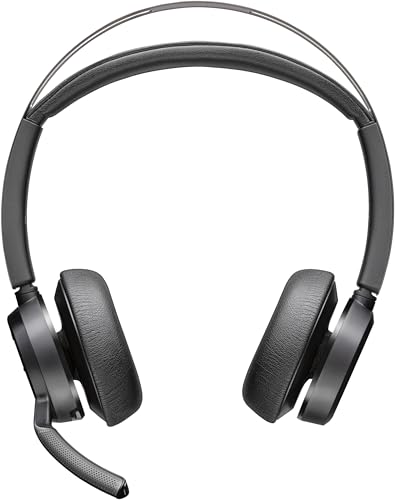
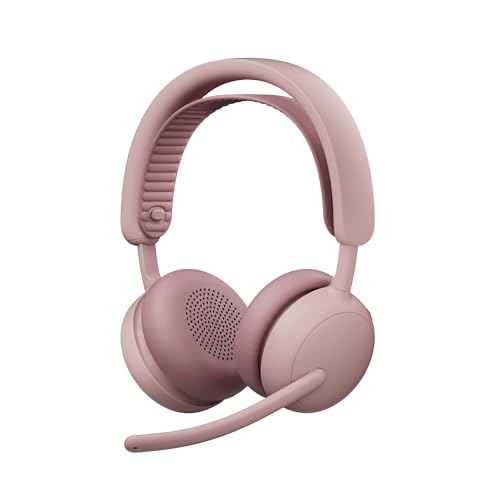
3. Logitech Zone Wireless 2 ES: best for comfort
£149.99, rated 3.7 stars from 21 ratings. A lightweight over-ear wireless headset with noise cancelling, but with few ratings so far, so read recent reviews.

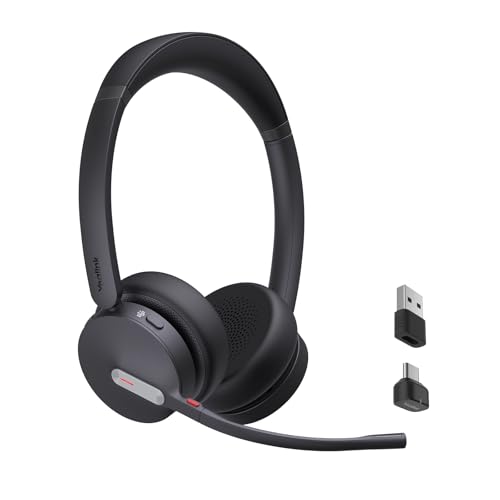
4. Yealink BH70 wireless headset: best value wireless
£105.99, rated 4.2 stars from 104 ratings. A wireless headset for working from home at a lower price than the premium options, standing in for the Anker PowerConf H700.
5. Microsoft Modern USB-C wired headset: best budget
£49.99, rated 4.0 stars from 40 ratings. A wired Teams-certified USB-C headset with a clear mic and in-line controls, no battery to worry about.

Wireless vs wired
Factor | Wireless | Wired (USB) |
Freedom to move | Excellent | Tied to desk |
Battery | Weekly charging | None |
Price for quality | Higher | Lower |
Reliability | Very good via USB dongle | Rock solid |
Best for | Pacers, hybrid workers | Fixed desk, budget |
Setup best practices
- Place the mic tip roughly two finger-widths from the corner of your mouth, not directly in front.
- Use the supplied USB dongle rather than Bluetooth for stability and clarity.
- Use the physical mute or lift-to-mute.
- Confirm the headset is selected in Teams, Zoom or Meet and run a test call.
- Do not over-boost mic levels, which creates hiss.
- Keep firmware up to date through the manufacturer’s app.
Common mistakes
- Buying the wrong connector (USB-A vs USB-C).
- Ignoring the platform variant (Teams vs UC).
- Paying for ANC in a quiet room.
- Prioritising looks over the boom mic.
- Skipping a comfort test.
FAQ
Do I need a headset if my laptop has a mic?
Yes. A laptop mic sits far from your mouth and picks up room noise, keyboard clatter and echo.
Do I need active noise cancellation?
Not necessarily. ANC improves what you hear, not how you sound; that depends on the boom mic and noise processing.
Final verdict
For most people, buy the Jabra Evolve2 65. Choose the Poly Voyager Focus 2 for noisy environments, the Yealink for a cheaper wireless option or the Microsoft wired headset for a fixed-desk budget. Match the dongle to your laptop’s ports and the certification to your main meeting platform.
Related reading
- Jabra Evolve2 65 Review: The Work-From-Home Headset Benchmark
- Best Budget Headsets for Teams and Zoom Under £50 UK
- Best Noise-Cancelling Headphones for Working From Home 2026 UK
- Best Wireless Earbuds for Work Calls in 2026 UK
- Open-Ear vs Over-Ear Headphones for All-Day Working
- Best USB Speakerphones for Home Office Conference Calls UK