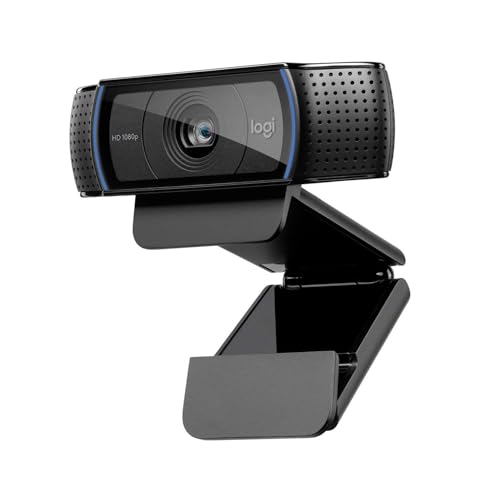
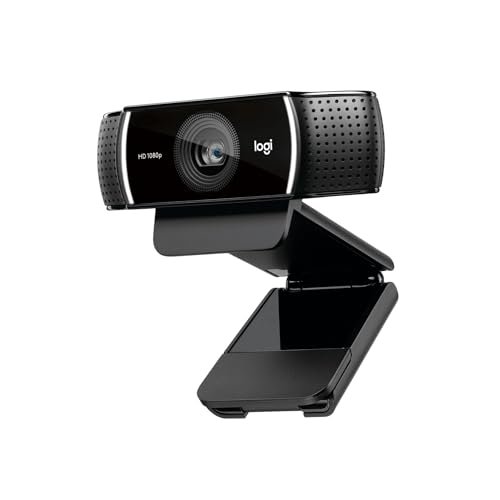
The Logitech C920 vs C922 question is the most common email we get from readers about to buy their first dedicated webcam. The two share a sensor, an autofocus module and most of their internals, look almost identical from the front, and are sold side by side on Amazon UK. On the spec sheet they look almost interchangeable, but the differences are specific and push each camera towards a different buyer.
Logitech C920 vs C922: the short answer
On Amazon UK in September 2026 the C920 is £50 (4.6 stars from 10,700+ ratings) and the C922 Pro Stream is £56.50 (4.6 stars from 11,200+ ratings), a gap of only about £6.50. Buy the C920 if you only want a webcam for video calls and every pound counts, since 1080p/30fps image quality is identical. Buy the C922 if you want 60fps at 720p for streaming or demos, or if you value the included tabletop tripod, which at this price gap is now a sensible default choice for most people.
Spec comparison
Spec | Logitech C920 HD Pro | Logitech C922 Pro Stream |
Max resolution | 1080p at 30fps | 1080p at 30fps |
High framerate mode | None | 720p at 60fps |
Field of view | 78° | 78° |
Autofocus | Yes, continuous | Yes, continuous |
Microphone | Dual stereo | Dual stereo |
Cable | Hardwired USB-A, ~1.5m | Hardwired USB-A, ~1.5m |
Mount | Universal clip + 1/4-inch thread | Universal clip + 1/4-inch thread |
Tripod in box | No | Yes (small tabletop) |
Privacy shutter | No (sold separately) | No (sold separately) |
UK price (Amazon, Sept 2026) | ~£50 | ~£56.50 |
What is actually the same
Both use the same Zeiss-branded lens with full-time autofocus, shoot 1080p at 30fps with a 78-degree field of view, share the same clip-and-tripod-thread mount, work with Logitech’s Logi Tune app, and are recognised by Teams, Zoom, Google Meet and OBS with no driver install. Side by side at 1080p in identical lighting, you cannot tell them apart in a still grab, so on a video call the two deliver the same image.
What is actually different
60fps at 720p
This is the only meaningful technical difference. The C922 can capture 720p at 60fps; the C920 maxes out at 30fps. It matters for game streaming, live demo recording and gesture-heavy talking-head video; for static head-and-shoulders calls, 30fps is plenty.
What comes in the box
The C922 ships with a small tabletop tripod, useful for placing the camera on a desk or shelf. The C920 ships with the camera and a clip, so a tripod costs extra.
The XSplit background story
When the C922 launched, its free XSplit licence for green-screen-free background removal was a differentiator. Today every major conferencing platform does background blur and replacement natively, so its practical value is close to zero unless you use XSplit for streaming.
Price and availability
The historic £20–£30 gap has narrowed to about £6.50 on Amazon UK. Prices move weekly and the C920 is sometimes lower still, so check the live price in each box.
Image quality, side by side
We mounted both on the same monitor and recorded matching test calls in window daylight, overhead 4000K LED and a single front-on key light. At 1080p/30fps the recordings are visually indistinguishable, with white balance shifting the same way under tungsten. At 720p/60fps on the C922 the lower resolution is more obvious than the extra framerate, and the difference mostly disappears once Teams or Zoom downscales the feed anyway.
Audio
Both use dual stereo microphones that sound identical to us. Neither is good enough as your only call mic if you take more than a couple of meetings a day, since they pick up keyboard noise, room echo and traffic. A separate USB microphone will sound noticeably better regardless of which webcam is under it.
Build quality and feel
Both have the same hardwired USB-A cable, the part most likely to fail over time, and neither has a privacy shutter. A stick-on cover costs a few pounds.
Pros and cons
Logitech C920
- Pro: the cheapest sensible webcam upgrade, with image quality identical to the C922 at 30fps.
- Pro: plug-and-play on Windows, macOS, Linux and ChromeOS.
- Con: no tripod in the box and 30fps maximum.
- Con: hardwired cable and no privacy shutter.
Logitech C922 Pro Stream
- Pro: 60fps capture at 720p and a tabletop tripod in the box.
- Pro: same image quality as the C920 at 1080p/30fps.
- Con: slightly more expensive than the C920.
- Con: same hardwired cable and no privacy shutter, and the background-removal advantage has been overtaken by Teams and Zoom.
Logitech C920 vs C922: which should you buy?
With the price gap now so small, the C922 is the easier recommendation for most people: same image, a tripod in the box and 60fps if you ever need it. The C920 is still the pick if you want the absolute lowest price for calls only. If you have outgrown both, the next sensible step is the Logitech MX Brio, the first Logitech webcam in years to deliver a meaningfully better image.
Verdict
Buy the C920 if you want the cheapest sensible first webcam upgrade; buy the C922 if you want 60fps or the tripod, which at roughly £6.50 extra is good value. Either way, the money saved or spent is better put towards a USB microphone or a desk lamp, both of which will improve your video presence more than a few extra frames per second.