How to Choose a Standing Desk The Complete UK Guide

Buying a standing desk in the UK is harder than it should be. The cheapest electric desks on Amazon UK now start around £150, the most popular mid-range models sit between £300 and £600, and the well-reviewed Uplift, Fully and Desky models can push past £900 once you spec a hardwood top. Almost all of them claim “dual motor”, “100kg lifting capacity” and “memory presets” — even when the underlying frames are unrelated, the motors are made by completely different factories, and the warranty terms are a decade apart.

This guide is the practical version of how to choose a standing desk in the UK in 2026. It walks through every decision you actually need to make — frame type, motor configuration, desktop size and material, controller features, budget tier, and the specific things to look out for in a UK flat or terraced house — without padding the answer with marketing copy about “sit-stand wellness culture”. By the end of it you should know which desk to buy, or at least which three to shortlist.

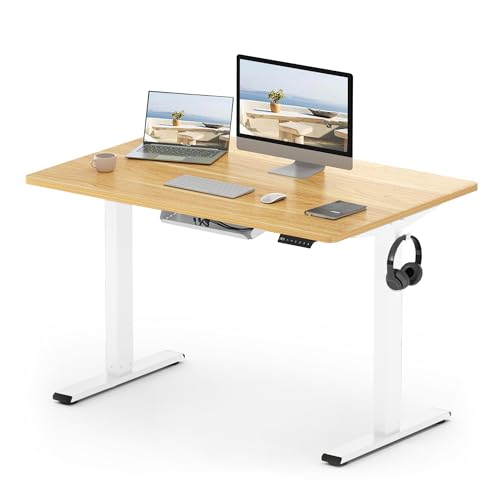
Short version, if you only want the headline: most people working from home in the UK want a dual-motor electric desk with a steel frame, a 140 cm x 70 cm desktop, four memory presets and a height range of roughly 60 cm to 125 cm. Budget around £350 to £500 for a desk that will still be solid in five years. The rest of this guide explains why each of those numbers matters and how to know when your situation calls for something different.

Do you actually need a standing desk?

Before we get into specifications, it is worth being honest about the question almost no buyer’s guide asks: do you actually need a standing desk, or do you need a better chair, a monitor at the right height, and a fifteen-minute walk at lunch?

The clinical evidence for standing desks is more mixed than the marketing suggests. A standing desk does not “burn calories” in any meaningful sense — the difference between sitting and standing for a typical workday is roughly the calorie content of a digestive biscuit. What standing desks do reliably is break up long sitting blocks, reduce lower-back stiffness for people who already have it, and make it easier to take a phone call without slumping. None of that requires a £600 desk. A £30 desktop converter on top of a normal desk will deliver most of the postural benefit.

Buy a full standing desk if any of the following apply: you have an existing back, hip or sciatic issue that is aggravated by long sitting; you genuinely want to alternate between sitting and standing more than once a day (most people who buy a sit-stand desk only stand for thirty to ninety minutes a day after the novelty wears off, which is fine — that is still a meaningful improvement); you are setting up a permanent home office and the desk will be in service for five-plus years; or your existing desk is the wrong height for your monitor and chair and replacing it is overdue anyway. Otherwise, start with a converter and a chair upgrade — see our [Affiliate link to standing desk converters on Amazon UK] roundup and our ergonomic chair guide.

Manual, pneumatic, or electric: which mechanism?

Sit-stand desks raise and lower using one of three mechanisms. They are not equivalent — the choice affects price, smoothness, daily use, and how often you will actually use the standing feature.

Hand-crank manual desks

A manual desk uses a crank handle, usually mounted under the desktop on the right-hand side, to raise and lower the surface mechanically. You spin the handle for thirty to forty seconds to move from sitting to standing height. The desks themselves are cheap (£120 to £200 on Amazon UK), have no electronics to fail, and need no power socket.

The catch is the friction it adds. Almost everyone who buys a manual desk stops using the standing feature within a month. Thirty seconds of cranking sounds trivial in a review video but it is enough effort to make you not bother on a busy Tuesday. If you only want to stand occasionally, a converter is a better choice; if you want to alternate properly, pay for an electric desk. We do not recommend manual desks for most home-office buyers.

Pneumatic / gas-spring desks

Pneumatic desks use a gas spring (the same mechanism as an office chair) to counterbalance the weight of the desktop. You squeeze a release lever and push the surface up or down by hand. They have no motor, no power supply, and lift smoothly in roughly five seconds.

Pneumatic desks are excellent when they are right-sized — but they are sensitive to the weight on the desktop. A pneumatic desk rated for 15 kg of load behaves very differently with one monitor and a laptop (around 6 kg) than with two monitors, a hub, and a microphone arm (closer to 20 kg). If you load it heavier than the cylinder is rated for, the desk will not stay up; if lighter, the surface will spring up when you release it. They are best for minimalist setups and uncommon in the UK home-office market — most popular pneumatic models, like the IKEA SKARSTA series, are now manual rather than truly gas-assisted.

Electric desks (what most people should buy)

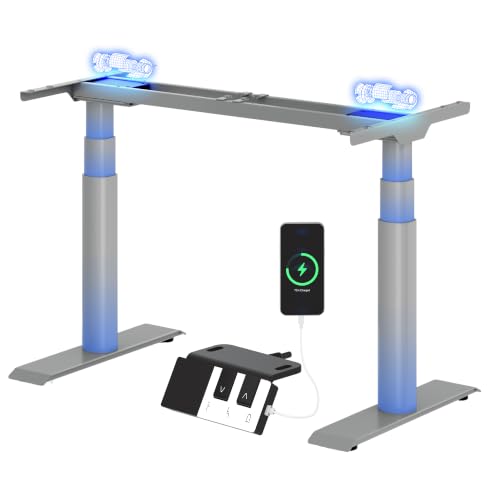
An electric standing desk uses one or two motors built into the legs to raise and lower the desktop at the press of a button. The motor configuration matters and we cover it in the next section. For most UK home-office buyers in 2026, the answer to “which mechanism” is simply: electric. Prices have come down enough that the cheapest credible electric desks (FlexiSpot EC1, IKEA BEKANT) now sit around £160 to £240 on Amazon UK, which makes manual desks hard to recommend on price alone.

Single motor vs dual motor: the spec that matters most

“Dual motor” is the single most repeated phrase in standing-desk listings and it is one of the few specifications that actually matters. The motor configuration controls how fast the desk lifts, how much weight it can move, how level the desktop stays as it travels, and how long the desk will last.

SpecSingle motorDual motor
Typical lift capacity60-80 kg100-125 kg
Travel speed20-25 mm/sec38-40 mm/sec
NoiseLouder under loadQuieter (load is shared)
Desktop levelnessCan sag slightly mid-travelStays level
Typical UK price£150-£280£300-£550
Best forLight setups, single monitorMost home-office buyers

In day-to-day use the difference comes down to two things. First, dual-motor desks lift roughly twice as fast — the difference between five seconds and twelve to reach standing height. That sounds small until you live with it; the friction of slow travel is enough to make some people stop standing. Second, dual-motor desks handle weight better. With a heavy curved monitor, a microphone arm, a docking station, a laptop and a cup of coffee on the desktop, a single-motor desk will often struggle, judder, or — on cheaper models — refuse to lift at all.

There is one credible case for a single-motor desk: a small, light setup (one laptop or one 24-inch monitor, nothing else), a tight budget under £250, and a willingness to live with slower travel. For anyone else, the dual-motor upgrade is the single most worthwhile spec to pay for. It is also the spec the cheapest desks fake most often — see the “What to watch out for” section below.

Frame quality and stability: the spec nobody advertises

Two electric desks with identical motors can feel completely different under your hands because of the frame. Frame wobble is the most common complaint in negative Amazon reviews of standing desks, and it is genuinely worse on cheap frames than the photos suggest.

Two-stage vs three-stage legs

Standing-desk legs are telescopic, made of two or three nested steel sections. A two-stage leg has one moving section; a three-stage leg has two. Three-stage legs give a wider total height range (typically 60 cm to 125 cm vs 70 cm to 120 cm) and lift faster, but the extra joint adds wobble at full standing height. Two-stage legs are stiffer at standing height but cannot drop low enough for shorter users to sit comfortably.

If you are over six foot, prioritise a three-stage frame so the desk can reach a proper standing height (your elbows should sit at roughly 90 degrees with your wrists flat on the desktop). If you are under five foot four, also prioritise a three-stage frame, but for the opposite reason — the desk needs to drop below 70 cm for a comfortable sitting posture. If you are between, a quality two-stage frame is the more stable choice.

Steel gauge and crossbar

The thickness of the steel in the legs determines stability more than any marketing spec. Cheap desks use thin gauge steel (around 1.5 mm wall thickness) to keep weight and shipping costs down. The good FlexiSpot, Fully Jarvis, Desky and Uplift desks use 2.0 mm or thicker, which you can feel in the way the desktop does not shake when you type.

A crossbar between the two legs — usually a steel tube near the bottom of the frame — adds rigidity for very little cost. Desks marketed as “crossbar-less” look cleaner in lifestyle photos but wobble more at standing height, especially on wider desktops. If you can live with a horizontal bar near your feet, take the crossbar.

Desktop size, depth and material

Once the frame is sorted, the desktop is the part you actually interact with for eight hours a day. The cheapest standing desks come with a particle-board top (sometimes called MDF or “engineered wood”) that is fine in year one but tends to sag at the front edge after two or three years of carrying a monitor and a laptop. Mid-range and premium desks use thicker bamboo, solid hardwood, or proper plywood, all of which last much longer.

Width: 120, 140, 160 cm?

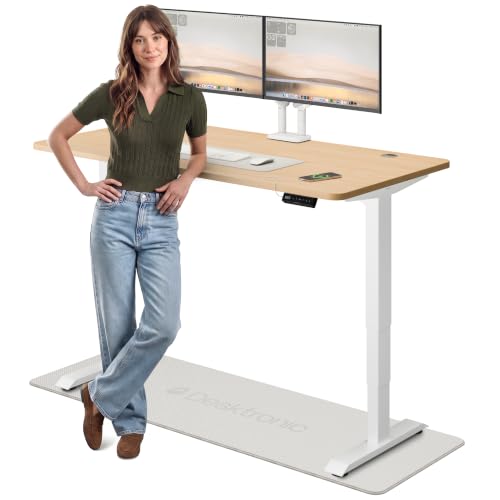
The two most useful UK desktop widths for home offices are 140 cm and 160 cm. A 120 cm desktop fits in tight spaces but cannot comfortably hold a 27-inch monitor and a separate keyboard tray; you will end up working with your keyboard pushed against the screen. A 160 cm desktop is what we recommend for dual-monitor setups or anyone who likes to spread out, and it is the size most reviewers — including us — settled on after living with smaller desks. 180 cm is reserved for L-shaped or ultrawide-monitor setups.

Depth: 70 cm is the sweet spot

Depth matters more than width for comfort. A 60 cm-deep desk will put a 27-inch monitor too close to your face for healthy viewing distance (the recommended viewing distance for a 27-inch screen at typical UK resolutions is 70 to 90 cm). 70 cm depth is the standard and the right answer for almost all setups. 75 to 80 cm is better for ultrawide monitors or anyone who places a laptop in front of an external monitor.

Material: bamboo, solid wood, or laminate?

MaterialProsConsTypical UK price (140 cm top)
Laminate / particle-boardCheap, scratch-resistant top layerSags over time, looks plasticky£40-£90 extra
BambooStrong, attractive, sustainable, lightCracks if very dry indoor air£120-£200 extra
Solid hardwoodBest feel, ages well, can be refinishedHeavy, expensive, needs oiling£200-£400 extra
Reclaimed / butcher-block plywoodDistinctive look, very rigidHeavier; some flex variation£150-£300 extra

Bamboo is the best value for most UK buyers. It is light enough not to strain a dual-motor frame, attractive enough not to look like an office desk, and far more durable than laminate. Solid hardwood is nicer if you can afford it and stable humidity is not a problem; central heating in older UK flats can dry hardwood out enough to crack it across the grain after two or three winters, so consider a humidifier or stick with bamboo.

Controller features (the bit you press)

The controller is the small panel mounted under the right edge of the desktop. Cheap desks have two buttons (up and down); good desks have a digital readout and memory presets; premium desks have programmable presets, USB charging, anti-collision sensors and a child lock. The controller is replaceable on most quality frames, so do not pay a premium for a fancy controller alone — but it is worth understanding what each feature actually does.

  • Up/down buttons only: cheapest option. Fine if you only ever use two heights and remember them by eye. Most people get tired of holding the button.
  • Digital height readout: lets you set the desk to a specific cm value. Useful for getting back to your “good” sitting height after the cleaner has moved the desk.
  • Memory presets (usually 2 or 4): one press sends the desk to a saved height. The single most useful controller feature. Four presets is enough for two users or two heights each (sitting / standing / coffee bar / monitor cleaning).
  • Anti-collision: stops the desk if it detects an obstacle on the way up or down. Worth having if you have a chair with a high back, a filing cabinet under the desk, or pets that wander underneath. Cheaper implementations false-trigger more often than they should.
  • Child lock: prevents accidental presses. Genuinely useful if children are in the house — the controller is at exactly the right height for a curious three-year-old.
  • USB ports: nice to have, but the USB on a desk controller is usually a slow 5V/1A port. A proper USB hub on the desk is a better choice.

Budget tiers: what you actually get at each price

Standing-desk prices on Amazon UK and direct from manufacturers fall into four reasonably honest tiers. The big jumps in quality happen at roughly £300 and £600 — paying more than £900 mostly buys you a nicer desktop, not a better frame.

Under £250 — entry level

At this price you are looking at single-motor electric desks with laminate tops, two-stage frames and basic up/down controllers. The honest options are the FlexiSpot EC1 and the IKEA BEKANT sit-stand (around £230). Both work, both have noticeable wobble at standing height, and both will probably need replacing within five years. Reasonable if your priority is “an electric desk in the house” rather than “a desk that will last”.

£300-£550 — mid range (most home-office buyers)

This is where the dual-motor frames start. The FlexiSpot E7, Desky Dual and IKEA IDÅSEN sit here, along with budget direct-import models like Topsky and Maidesite. You get faster, quieter motors; a wobble-acceptable frame; programmable presets; and the option to pair the frame with a bamboo top for a little extra. This is the price band we recommend for most buyers — see our [Affiliate link to FlexiSpot E7 Pro on Amazon UK] review for our pick.

£600-£900 — upper mid range

Fully Jarvis (now Herman Miller-owned), Uplift V2, Desky Dual Pro and the FlexiSpot E7 Pro live here. The frames are noticeably stiffer, the warranties are longer (typically seven to fifteen years versus three to five), and the desktop choices broaden to include real hardwood. Worth the premium if the desk will be in service for a decade.

Over £900 — premium and specialist

Above £900 you are paying for either (a) a very high-end desktop — solid walnut, oak, reclaimed industrial — or (b) a specialist frame, such as a four-leg desk for an L-shaped setup, a wide 200 cm executive desktop, or a heavy-duty frame rated for 150 kg-plus. The motors above this price are not meaningfully better than the £600 tier. Buy here if you have a specific reason; do not pay a premium just for the brand.

UK-specific buying checklist

UK home-office buyers face a few specifics that international guides do not address. Run through this list before you click “buy”.

  • Check the floor-to-doorway clearance. UK terraced houses and flats have narrower doors and tighter landings than US-aimed reviews assume. A 160 cm desktop ships flat-packed, but the frame is heavy (25-40 kg) and the box can be 70 cm wide. Measure your stairwell.
  • Confirm a UK three-pin plug, not a US plug with an adapter. Some Amazon listings still ship with US two-pin plugs and a converter. The converter draws current; cheap ones fail. Insist on a moulded UK plug.
  • Confirm CE / UKCA marking on the motor. Required for any electrical product sold legally in the UK. Reputable brands (FlexiSpot, Fully, IKEA, Desky) all carry it. Some direct-import listings on Amazon and AliExpress do not.
  • Check return / collection policy. A standing desk is heavy. If you need to return it, who pays for collection? Amazon UK Prime returns are free; many direct-from-manufacturer sales bill you £40-£80 for collection. Read the fine print before paying for a £500 frame from a website you have not heard of.
  • Consider assembly. Almost all UK standing desks ship flat-packed and take 60-90 minutes to assemble. You will need a Phillips screwdriver, ideally an electric one, and a clear 2 m x 1 m floor space. Some companies (Fully, Desky) offer paid assembly; IKEA does not.
  • Plan cable management. The desk will move up and down. Trailing cables that look fine when the desk is at sitting height will catch the floor at standing height. Budget for a flexible cable spine, an under-desk cable tray, and an extension lead that is bolted to the desktop, not the wall.

What to watch out for in cheap listings

Amazon UK is full of standing desks from brands you have never heard of, at prices that look too good to be true. Some of them are genuinely fine — many of the cheaper FlexiSpot, Maidesite and Sanodesk frames are sold under a dozen Amazon brand names that all come from the same factory. Others are not. The patterns to watch out for, drawn from sifting through hundreds of UK reviews:

  • “Dual motor” claims with only one motor visible in the product photos. Check the photo of the underside of the desktop. Two motors = two cylinders, one in each leg.
  • Weight capacity of 100 kg or more on a desk costing under £200. The motors and gearing required for that lift do not exist at that price.
  • No height range listed, or only a maximum given. A real spec gives both the minimum and maximum height. Without a minimum, the desk may not go low enough for comfortable sitting.
  • “Memory presets” but the photo of the controller has only up/down arrows. Look for a digital readout and at least one numbered button.
  • Warranty of one year or less. Quality desks come with three to five years on the frame and five to ten on the motor. A one-year warranty is a clue the manufacturer expects failures.
  • Reviews mentioning “the motor stopped working” within six to twelve months. Always read the one- and two-star reviews and search Ctrl+F for “motor”.

Our shortlist for UK buyers in 2026

If you have read this far and just want the answer, here are the three standing desks we recommend for UK home offices in 2026. Detailed reviews of each are linked from our standing-desk category page.

PickBest forTypical UK priceWhy
FlexiSpot E7 ProMost home-office buyers£420 with bamboo topDual motor, three-stage frame, four memory presets, 15-year frame warranty, widely available on Amazon UK.
Fully Jarvis BambooLong-haul buyers who want the best mid-range£650 with bamboo topStiffer frame, smoother motors, better controller, Herman Miller-backed support.
IKEA BEKANT Sit-StandBudget pick under £250£230Single motor, two-stage, laminate only — but the support and returns process is the easiest in the UK.

Full review links: [Affiliate link to FlexiSpot E7 Pro on Amazon UK], [Affiliate link to Fully Jarvis Bamboo on Fully UK], [Affiliate link to IKEA BEKANT Sit-Stand on IKEA UK].

Setting up your standing desk for your body

A standing desk is only as good as its setup. The single biggest mistake new buyers make is setting the desk to a fixed height once and never adjusting it. Every body shape needs slightly different settings; here is a starting point that works for most people.

Sitting height

Sit in your chair with your feet flat on the floor (or on a footrest), thighs parallel to the floor, and lower back supported. Put your hands on the desktop. Your elbows should sit at roughly 90 degrees, with your wrists in a straight line from your forearm — not bent up or down. For most adults this puts the desktop at 70-75 cm. Save this as memory preset 1.

Standing height

Stand barefoot or in the shoes you normally work in. Put your hands flat on the desktop. Elbows at 90 degrees again, wrists straight. Most adults end up at 105-115 cm. Save this as memory preset 2. The most common mistake is setting the standing height too low; if you find yourself stooping after twenty minutes, raise it by 2 cm.

Monitor height

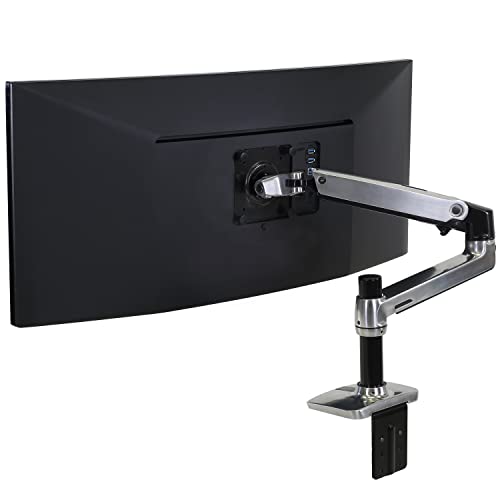
The top edge of your monitor should sit at or slightly below your eye line, at both sitting and standing heights. If your monitor is fixed in height, the desk has to do the work — which means you may need to compromise on either sitting or standing height. The fix is a monitor arm that lets the screen move with you. See our [Affiliate link to Ergotron LX Monitor Arm on Amazon UK] review for the gold standard.

Use both heights

The biological benefit of a standing desk only comes if you alternate. The Cornell University ergonomics group recommends roughly 20 minutes sitting, 8 minutes standing, 2 minutes walking, repeated through the day. Most desks make this easy with a presets-and-timer setup, or you can pair the desk with an app like Stand or a simple Pomodoro timer on your phone.

Frequently asked questions

Do standing desks really help with back pain?

They can. The evidence is strongest for breaking up long sitting blocks rather than for standing per se. If your back hurts at 4pm every day, the cause is usually that you have not moved since 9am — a sit-stand desk gives you a frictionless reason to change posture. It is not a cure for serious back conditions; see a physio first.

Are standing desks safe with a treadmill?

Yes, but check the desktop length. An under-desk treadmill needs about 120 cm of length and 50 cm of clear depth under the desk. Most 140 cm desks work; some narrower ones do not. Also check the motor lift capacity — a treadmill adds 25-35 kg before you stand on it.

Can I put my existing desk on a standing-desk frame?

Often yes. The major brands (FlexiSpot, Fully, Uplift, Desky) sell frames separately from desktops. You will need to drill mounting holes in the underside of your existing desktop; check the desktop is at least 18 mm thick and made of solid wood or quality plywood. Particle-board tops do not hold screws under repeated lifting cycles.

How noisy are electric standing desks?

Quieter than a dishwasher, louder than a fan. Dual-motor desks are typically 45-55 dB when moving and silent when stationary. The motor only runs while the desk is travelling — five to twelve seconds per adjustment — so noise is not a daily issue. Cheaper single-motor desks can hit 65 dB under load, which is noticeable on a video call.

How long do standing-desk motors last?

Good motors (FlexiSpot, Fully, Uplift, Desky) are rated for around 20,000 lift cycles, which is enough for ten to fifteen years of normal use. The motors on the cheapest unbranded Amazon desks frequently fail in year two; if you buy one of those, expect to replace it sooner than you would expect to replace a normal desk.

The bottom line: which standing desk should you buy?

If you take only one decision from this guide, take this one: buy a dual-motor electric desk with a steel frame, a 140 cm or 160 cm desktop, four memory presets, and a height range that covers both your sitting and standing positions. Budget £350 to £550 for a desk you will not need to replace. The FlexiSpot E7 Pro at around £420 is the desk we recommend for most UK home-office buyers; the Fully Jarvis Bamboo is the upgrade if you want a desk that will outlast two laptops; and the IKEA BEKANT is the safe budget pick.

Avoid manual desks, avoid single-motor desks unless your setup is genuinely light, and avoid no-name Amazon listings whose “dual motor” claims are not backed by a photo of two motors. Above all, buy something — the difference between a standing desk you sometimes stand at and a fixed desk you never stand at is real, and after a year of testing the better mid-range options, we have not regretted owning one.

Found this guide useful? Our companion piece, Best Standing Desks Under £500 in 2026 UK, drills into the specific models in the most common UK budget band. And the [Affiliate link to standing desks on Amazon UK] department on Amazon UK is, despite the chaos, where most of these desks are most cheaply available.

Some More Reviews Here..