A smart plug is the cheapest, least glamorous piece of home-office kit that actually earns its keep every single day. Fit one to your monitor, your desk lamp or your whole desk’s extension lead, and you get a schedule that turns everything on five minutes before you sit down and off the moment you finish, a way to kill power to standby electronics from your phone when you forget on the way out, and – on the models that support it – an honest answer to the question of exactly how much your desk setup is actually costing you to run.
What to look for
- Energy monitoring, if you want real numbers rather than a guess. A monitoring plug shows live wattage and historical usage in the app, which turns a vague sense that your monitor “uses a bit of power” into an actual pence-per-day figure.
- Scheduling and an away mode, so your desk lamp or monitor switches on and off automatically around your working hours without you touching your phone.
- The ecosystem you already use. If you have Alexa or Google Home devices already, check compatibility; if you use an iPhone and want Apple Home integration specifically, that narrows the field to Matter or HomeKit-certified plugs.
- A compact design that does not block the second socket on a double wall outlet – some smart plugs are noticeably bulkier than others and can make a two-gang socket unusable for anything else.
- A genuine maximum load rating if you intend to switch something power-hungry like a small heater or an under-desk warmer through it, rather than just a lamp or a monitor.
Best smart plugs for a home office
All four options below were checked live on Amazon UK for stock, price and review standing before being included.
Best overall: TP-Link Tapo P110 (2-pack)
The P110 is the sensible default: proper energy monitoring with a clear breakdown of daily, weekly and monthly usage in the Tapo app, scheduling, an away mode that randomises on/off times to make an empty house look lived-in, and compatibility with Alexa and Google Home. Two plugs in the pack is usually the right number for a desk – one on the monitor, one on a lamp or a heater – without paying for capacity you will not use.
It is a compact design that does not hog a second socket on a double wall plate, which is a small detail that matters more than it sounds once you have three or four smart plugs dotted around a room.
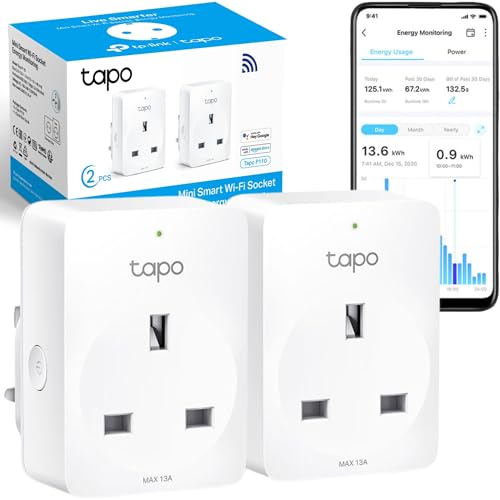
- Energy Monitoring - Monitor the average power consumption of the load for one hour via the Tapo App; Tapo P110 Alexa smart plug will determine the usage of electricity and allow you to monitor from your smart phone
- Compatibility - Works with Amazon Alexa and Google Assistant for Voice Control; use your Alexa plug remotely; whenever and wherever you are
- Remote Access -Control devices connected to the smart plug wherever you use the free Tapo app on your phone
- Schedule and Timer - Schedule/Timer the smart plug to automatically power electronics on and off as needed; Tapo P110 smart plugs that work with Alexa will even facilitate your jobs according to your needs
- Device Sharing Remote Control Plug Socket UK- Share management permissions with family members for multiple control

Best budget or basic pick: TP-Link Tapo P100 (2-pack)
If energy monitoring is not something you will actually use, the P100 gives you the same reliable app control, scheduling and voice-assistant compatibility as the P110 for less, simply without the wattage tracking. For a desk lamp or a set of speakers you just want to schedule or switch remotely, that is a sensible saving rather than a compromise.
Worth choosing over the P110 only if you are confident you will not miss the energy data – otherwise the small extra cost of the P110 is generally worth it.

- 𝗛𝗮𝗻𝗱𝘀-𝗙𝗿𝗲𝗲 𝗩𝗼𝗶𝗰𝗲 𝗖𝗼𝗻𝘁𝗿𝗼𝗹 - Manage your smart plug with voice commands via Amazon Alexa or the Google Home; This Alexa plug that can be managed by voice commands provides smarter solutions for your smart home
- 𝗔𝘂𝘁𝗼𝗺𝗮𝘁𝗶𝗰 𝗦𝗺𝗮𝗿𝘁 𝗦𝗰𝗵𝗲𝗱𝘂𝗹𝗶𝗻𝗴 𝗮𝗻𝗱 𝗧𝗶𝗺𝗲𝗿 - Set the schedule or timer to automatically turn on/off any home electronic appliances, to make your life smarter; Home electronic appliances such as heater, fan, TV, coffee and tea machine, lamp, air purifier, humidifier, bulbs, electric blanket, Christmas lights etc ; Simply say Alexa set the heater and fan turn on at 8am tomorrow
- 𝗥𝗲𝗺𝗼𝘁𝗲 𝗖𝗼𝗻𝘁𝗿𝗼𝗹 𝗳𝗿𝗼𝗺 𝗮𝗻𝘆𝘄𝗵𝗲𝗿𝗲 𝘃𝗶𝗮 𝗧𝗮𝗽𝗼 𝗔𝗽𝗽 - Easily control your home appliances anytime, anywhere, no limited of time and distance; Use the app to turn electronics on before you arrive home and off after you leave, no matter where you are; Using the smart plug that work with alexa will manage your power usage and save you money
- 𝗗𝗲𝘃𝗶𝗰𝗲 𝗦𝗵𝗮𝗿𝗶𝗻𝗴 𝗳𝗲𝗮𝘁𝘂𝗿𝗲 with this Remote Control Plug Socket UK- Share management permissions with family members for multiple control
- 𝗔𝘄𝗮𝘆 𝗺𝗼𝗱𝗲 𝗳𝗼𝗿 𝗵𝗼𝗺𝗲 𝘀𝗲𝗰𝘂𝗿𝗶𝘁𝘆 - Automatically turns devices on and off at different times to give the appearance that someone is home
Best value multi-pack: TP-Link Tapo TP11 (4-pack)
Kitting out a whole desk – monitor, lamp, speakers, and a space heater in winter – four plugs at once from a single pack works out cheaper per plug than buying two separate twin-packs, and it keeps everything on one consistent app with the same scheduling and away-mode features as the P110. It includes energy monitoring too, so you are not sacrificing that to get the better per-unit price.
The compact form factor here is genuinely one of the smallest in TP-Link’s range, useful if you are filling several sockets in the same room.
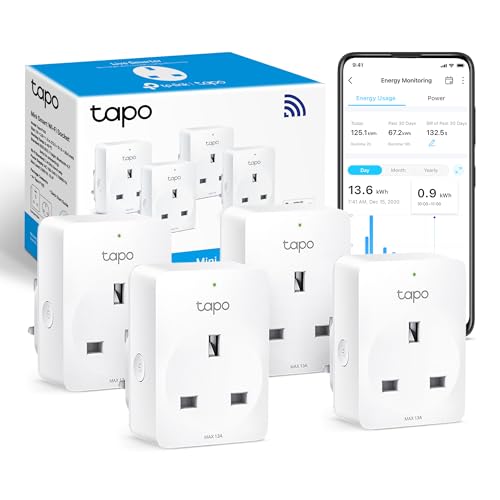
- 𝗘𝗻𝗲𝗿𝗴𝘆 𝗠𝗼𝗻𝗶𝘁𝗼𝗿𝗶𝗻𝗴 : Tracks the energy use of connected devices and allows electricity rate input for bill estimates.
- 𝗩𝗼𝗶𝗰𝗲 𝗖𝗼𝗻𝘁𝗿𝗼𝗹: Manage your smart plug with voice commands via Amazon Alexa or Google Assistant.
- 𝗥𝗲𝗺𝗼𝘁𝗲 𝗖𝗼𝗻𝘁𝗿𝗼𝗹: Instantly turn connected devices on/off from wherever you are through the Tapo app.
- 𝗦𝗰𝗵𝗲𝗱𝘂𝗹𝗲 : Preset a schedule to automatically manage devices.
- 𝗔𝘄𝗮𝘆 𝗠𝗼𝗱𝗲: Automatically turns devices on and off at different times to give the appearance that someone is home.
Best for Apple Home and HomeKit: Meross MSS305 (2-pack)
TP-Link’s Tapo plugs work with Alexa and Google Home but not natively with Apple’s own Home app without an additional hub. The Meross MSS305 is HomeKit and Matter compatible out of the box, so it appears directly in Apple’s Home app alongside HomePods, Apple TVs and other Matter accessories, with no separate app or hub required for iPhone and Mac users who have standardised on Apple’s ecosystem. It also includes energy monitoring, matching the feature set of the TP-Link options above.
Choose this specifically if Apple Home integration matters to you – for an Android or mixed household, the Tapo range above is the simpler and cheaper choice.
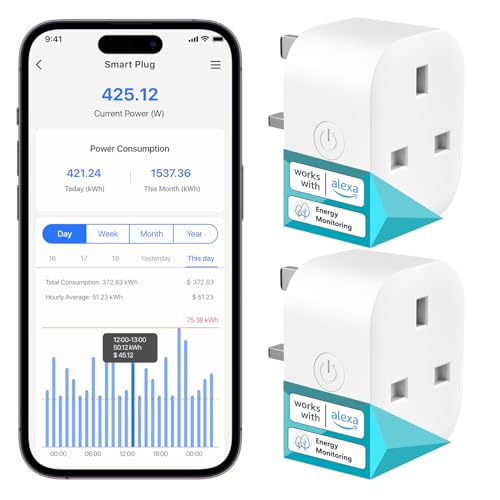
- Power Monitoring: The Meross smart plug features an energy monitoring capability, allowing users to track their electrical appliance consumption in detail. This helps users schedule when to switch appliances on and off optimally, aiding in electricity bill reduction. Users can input the cost per kilowatt-hour to get an estimate of their electricity bills (for reference only). Furthermore, the plug can monitor the electricity generated by solar panel installations.
- Remote and Voice Control: With the Meross app, users can monitor and control their devices remotely at any time. Meross WiFi smart plugs are compatible with both Alexa and Google Home, allowing for voice commands like "Alexa, turn off the light."
- Schedules and Timers: The Meross smart plugs that works with Alexa allow for customised schedules and timers, letting users turn devices on and off according to their routine.
- Local and Offline Control: In the event of your router losing its internet connection, devices on the same LAN can still be controlled locally through the Meross app. This ensures quick responsiveness to user commands.
- Ease of Use: This WiFi plug can handle a load of up to 13A, 3120W, and is compatible with most domestic devices. No hub required, and it operates with 2.4GHz WiFi. Additionally, the smart plug with energy monitoring features Bluetooth for quicker pairing (Note: Bluetooth is solely for pairing).
Comparison at a glance
| Model | Pack size | Energy monitoring | Ecosystem | Approx. price |
| TP-Link Tapo P110 | 2-pack | Yes | Alexa, Google Home | £14–£18 |
| TP-Link Tapo P100 | 2-pack | No | Alexa, Google Home | £13–£16 |
| TP-Link Tapo TP11 | 4-pack | Yes | Alexa, Google Home | £28–£34 |
| Meross MSS305 | 2-pack | Yes | Apple Home, Matter | £18–£22 |
What smart plugs actually save you
The honest answer is: less on the electricity a device uses while it is switched on and doing its job, and more on the electricity it wastes doing nothing. A monitor left on standby overnight, speakers left powered when not in use, or a desk lamp nobody remembered to turn off all draw a small but genuinely non-zero amount of power continuously, and a scheduled smart plug removes that waste automatically rather than relying on you to remember. Energy-monitoring models make this visible rather than theoretical – most people who fit one to a monitor or a games console are mildly surprised by how much of its daily usage happens while it is technically “off” but still drawing standby power.
The bigger, more reliable saving is simply not needing to think about it: a lamp that turns on when you sit down and off when you leave is one less thing to remember, which is worth more in practice than the pence-per-day the energy monitoring reveals.
Do you need a hub, and does the app need to be open to work?
None of the four plugs above need a separate hub – they connect straight to your home Wi-Fi and are controlled from their own app or from Alexa, Google Home or Apple Home once linked. A schedule you set continues to run even if your phone is off or the app is closed, since the schedule itself lives on the plug and your home Wi-Fi network rather than needing your phone to trigger it in real time; you only need the app open to change a schedule or check the current status. Losing your internet connection does not stop a schedule already set from firing, though remote control from outside the house and voice-assistant commands both do need the connection back up to reach the plug.
It is worth also keeping a habit of switching things off at the plug itself occasionally rather than only ever through the app – useful to know the manual switch on the side of each of these still works exactly as a normal socket would if your phone is elsewhere or the Wi-Fi is briefly down.
Fitting them in safely
Check the maximum load rating printed on the plug before switching anything power-hungry through it – all four options here are rated for standard desk electronics like monitors, lamps and speakers, but a small space heater or an under-desk panel heater can sit right at or above a smart plug’s rated limit, so check the wattage on both before pairing them. For anything you plan to schedule while you are out of the house – a heater in particular – make sure the device itself has its own thermostat or safety cut-off, since a smart plug switching it on remotely is not a substitute for that.
Naming and grouping them properly
The single most common reason people stop using smart plugs after the first week is vague naming – “Plug 1” and “Plug 2” tell you nothing when you are trying to switch something off quickly. Rename each one for the device it controls the moment you set it up, and group the ones on the same desk together in the app so a single tap can turn the whole desk on or off rather than switching each item individually. It takes two minutes during setup and is the difference between a smart plug you actually use daily and one you forget exists after the novelty wears off.
Which smart plug should you buy?
For most home offices, the TP-Link Tapo P110 2-pack is the easiest recommendation: proper energy monitoring, reliable scheduling, and compatibility with the two most common smart-home ecosystems. Drop to the P100 if you know you will not use the energy data, or buy the TP11 4-pack if you are fitting out a whole desk and want the better per-plug price. The one exception is an Apple Home household, where the Meross MSS305 is the plug that actually integrates properly rather than needing a workaround.
Start with just one or two on the things you actually forget to switch off – a lamp and a monitor is usually the highest-value pair – rather than buying a house full at once.