Affiliate disclosure: WFHKit is reader-supported. We may earn a small commission when you buy through links on this page, at no extra cost to you. Our recommendations are independent, and we only recommend products we would be happy to use ourselves.
A 24-inch monitor is the sweet spot for a small desk. It is big enough to put two windows side by side, small enough to sit within easy reach, and cheap enough that you can buy a good one for under £100. If your desk is narrow or you plan to run two screens, a 24-inch model is easier to fit than a 27-inch one.
This guide picks four 24-inch monitors for a home office, all with sharp IPS panels and all well reviewed. We opened each product’s live Amazon UK page and checked the stock, the reviews and the price before including it. Every screen here is Full HD, which is the standard resolution at this size and looks sharp at this screen size.
The prices are the UK listing prices when we looked, and they move around, so check the current price before you buy.
How to choose a 24-inch monitor
- Panel type. IPS panels give good colour and wide viewing angles, so the picture looks right even if you sit off to one side. Avoid cheap panels with washed-out colour.
- Refresh rate. 100Hz and 120Hz screens feel smoother than the old 60Hz standard, with smoother scrolling and cursor movement. It is a nice extra at no real cost.
- Eye comfort. Look for flicker-free backlighting and a low blue light mode. Certified eye care panels reduce strain on long days.
- Connections. HDMI is fine for most people. DisplayPort suits a desktop PC or a dual screen setup. VGA is only useful with an older computer.
- Stand. A height-adjustable stand puts the screen at eye level without books or a riser. A fixed stand works if you plan to use a monitor arm.
- Speakers. Built-in speakers are handy for calls and videos, though they will not match a proper pair of desk speakers or a headset.
The best 24-inch monitors for home offices
Best budget buy: PHILIPS 24E1N1100A
The Philips 24E1N1100A is a 23.8 inch Full HD monitor with an IPS panel, a 120Hz refresh rate and a 1ms MPRT response time. It has built-in speakers and an HDMI input. The smooth refresh rate is a pleasant bonus at this price, and the IPS panel gives wide viewing angles.
It costs about £69, and more than two thousand buyers have rated it at 4.5 stars. It is the best low-cost 24-inch monitor in this guide, and it is easy to recommend for a first desk, a spare room or a child’s study area.
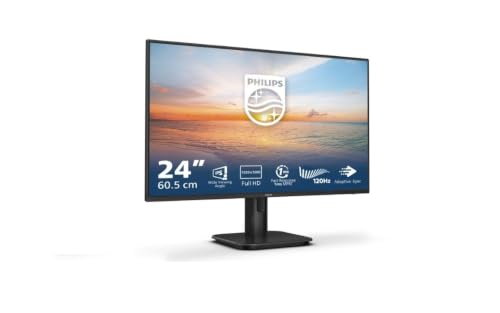
- 100Hz refresh rates for ultra-smooth images
- IPS LED wide view technology for image and color accuracy
- 1ms (MPRT) fast response for crisp image and smooth gameplay
- LowBlue mode and Flicker-free easy-on-the eyes viewing
- Cable management reduces cable clutter for neat workspace
Best for eye comfort: BenQ GW2491
The BenQ GW2491 is a 23.8 inch Full HD IPS monitor with a 100Hz refresh rate, designed around eye care. It has TÜV-certified flicker-free backlighting, a low blue light mode and slim bezels that suit a dual screen setup. It has HDMI and DisplayPort inputs.
It costs about £80, and nearly five hundred buyers have rated it at 4.5 stars. It is the one to choose if you spend most of the day looking at documents and email, and want a screen designed to be easy on the eyes.
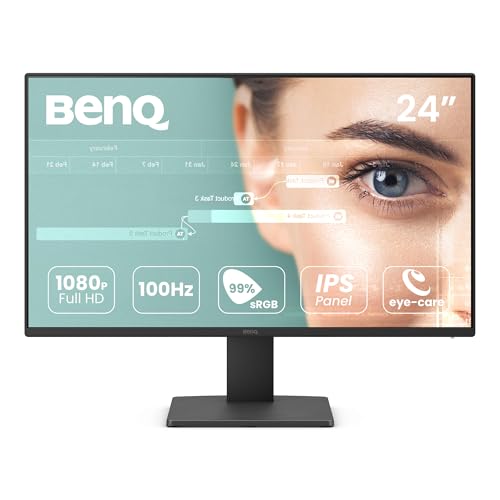
- STUNNING VISUALS: IPS panel provides accurate colour and image reproduction from any angle and 99% sRGB colour space.
- 100Hz REFRESH RATE: reacts more quickly to changes, resulting in a smoother user experience
- ULTRATHIN BEZEL DESIGN: more than just stylish furniture, enjoy a seamless viewing experience with enhanced focus on a frameless monitor.
- COLOR MODES: With ePaper Mode, ensuring effortless readability and long reading sessions with eye comfort.
- TUV-CERTIFIED: TUV-certified plus eye-friendly with Flicker-Free and Low Blue Light. Eyesafe 2.0 ensures reduced blue light with vivid colours.
Best for its warranty and rating: Dell SE2425HM
The Dell SE2425HM is a 24 inch Full HD monitor with a 100Hz IPS panel and a 5ms response time. It has HDMI and VGA inputs, a VESA mount for an arm, and a three year warranty. The picture is clean and plain, and the build is solid.
It costs about £94, and more than seven hundred buyers have rated it at 4.7 stars, the highest score in this guide. It is the right choice if you want a dependable, no-fuss monitor from a trusted brand.

- 23.8" FULL HD DISPLAY – 1920 x 1080 resolution in 16:9 format with 100Hz refresh rate and IPS technology for vibrant colours and wide 178° viewing angles.
- SMOOTH VISUALS – The 100Hz refresh rate reduces flicker for seamless scrolling and clear motion visuals – perfect for work and everyday tasks.
- TÜV RHEINLAND 3-STAR + COMFORTVIEW PLUS – Built-in ComfortView Plus reduces harmful blue light without compromising colour accuracy. Certified for eye comfort.
- SLEEK AND SPACE-SAVING DESIGN – Three-sided borderless design, integrated power supply and cable management for a tidy workspace.
- TILT + VESA COMPATIBLE – Tilt range from -5° to 21° and VESA compatibility (100x100 mm). Video connections: 1 HDMI (HDCP 1.4) and 1 VGA.

Best for an adjustable stand: Samsung LS24D400
The Samsung LS24D400 is a 24 inch Full HD IPS monitor with a height-adjustable stand, which sets it apart from the others in this guide. It has DisplayPort, HDMI and USB connections and an eye saver mode that reduces blue light.
It costs about £95, and more than one hundred and sixty buyers have rated it at 4.6 stars. It is a good choice if you want to put the screen at the right height without buying an arm.
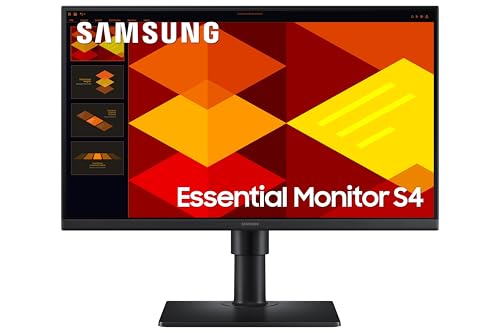
- IPS Panel - Colours remain bright and clear across the screen, even when you change angles
- 100Hz Refresh Rate - Stay in the action when playing games, watching videos, or working on creative projects with reduced lag and motion blur
- Eye Saver Mode & Less Screen Flickering - Protect your vision and stay comfortable, even during long sessions
- Super Slim Design with height-adjustable screen to give you the best angle and more versatility, you can even pivot the screen 90 degrees for a vertical view
- Displayport, HDMI x 2, USB-A x 2, USB-B - Plug devices straight into your monitor for increased flexibility, making your computing environment even more convenient.
Comparison at a glance
| Monitor | Size | Refresh rate | Best for | Approx. price |
|---|---|---|---|---|
| PHILIPS 24E1N1100A | 23.8 inch | 120Hz | Best budget buy | £64–£74 |
| BenQ GW2491 | 23.8 inch | 100Hz | Eye comfort | £75–£85 |
| Dell SE2425HM | 24 inch | 100Hz | Trusted brand and warranty | £89–£99 |
| Samsung LS24D400 | 24 inch | 100Hz | Height adjustment | £90–£100 |
Why Full HD suits a 24-inch screen
Full HD packs 1920 by 1080 pixels into a 24-inch panel, which gives text and images a pleasing sharpness at normal sitting distance. A higher resolution would make the text smaller unless you scale it up, and on a screen this size the extra detail is hard to see. For a home office it is the right resolution at a sensible price.
If you want a sharper picture, a 27-inch QHD or 4K screen gives more room, but it needs more desk and more money. A 24-inch Full HD screen remains the easiest way to add space to a laptop setup.
Is 24 inches big enough?
For most office work, yes. A 24-inch Full HD screen shows a full web page or two windows side by side, and the pixels are small enough that text looks sharp. If you edit video, work with large spreadsheets all day or sit further back, a 27-inch monitor may suit you better.
Setting up a 24-inch monitor
Sit about an arm’s length from the screen, with the top edge at or just below eye level. Tilt it back slightly. If you run two 24-inch screens, put the one you use most directly in front of you and angle the second towards you.
A monitor arm frees up desk space and lets you adjust the height exactly. The Dell has a VESA mount for an arm, so you can lift it off the desk if you prefer.
Making the picture easier on your eyes
Set the brightness so the screen is no brighter than the room around it. Turn on the low blue light mode in the evening, and follow the 20-20-20 rule: every 20 minutes, look at something 20 feet away for 20 seconds. A desk lamp behind or beside the monitor reduces glare and eye strain.
Cables and extras
Most monitors ship with a power cable and one video cable, usually HDMI. Check which cable is in the box, and buy a DisplayPort cable if your computer prefers it. A short, good-quality cable avoids flicker and signal drop-outs.
A monitor riser or a small shelf lifts the screen if the stand is too low, and a desk lamp that does not shine on the panel cuts glare. Keep the screen clean with a dry microfibre cloth rather than a household spray.
Do you need USB-C?
These four monitors use HDMI and DisplayPort rather than USB-C, which keeps the price down. If you want one-cable laptop charging, look at our guide to USB-C monitors instead. For a desktop PC or a laptop that has an HDMI port, a standard connection is perfectly fine.
Which 24-inch monitor should you buy?
For most people the Philips 24E1N1100A is the best 24-inch monitor for a home office. It has an IPS panel, a smooth refresh rate and built-in speakers for about £69, and thousands of buyers have rated it highly. The BenQ GW2491 is the more eye-friendly choice if you can spend a little more.
If you want a dependable brand, the Dell SE2425HM has the highest rating and a three year warranty. If you want a stand that adjusts for height, choose the Samsung LS24D400. All four will make a laptop screen feel cramped in comparison.